⤴️-Paid Ad- Check advertising disclaimer here. Add your banner here.🔥


CaptainJack
-
Posts
22 -
Joined
-
Last visited
CaptainJack's Achievements






-
 CaptainJack reacted to a post in a topic:
Today I'm moving from NT8 to ATAS
CaptainJack reacted to a post in a topic:
Today I'm moving from NT8 to ATAS
-
Playr101 reacted to a post in a topic:
CopierLite
-
⭐ aotegaoteg reacted to a post in a topic:
NTOptimizer
-
techfo reacted to a post in a topic:
NTOptimizer
-
⭐ nadjib reacted to a post in a topic:
CopierLite
-
misalto reacted to a post in a topic:
CopierLite
-
prateekdubey07 reacted to a post in a topic:
CopierLite
-
⭐ osijek1289 reacted to a post in a topic:
CopierLite
-
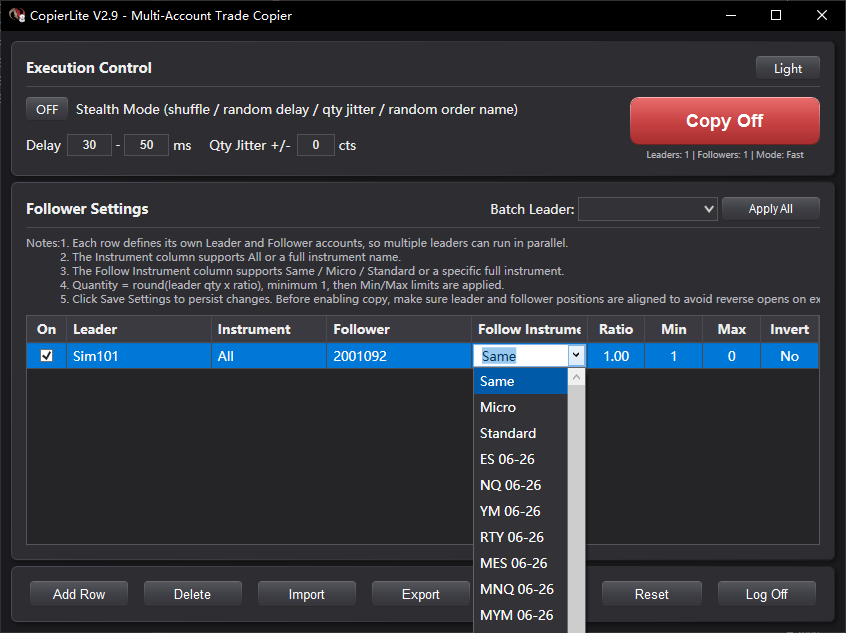
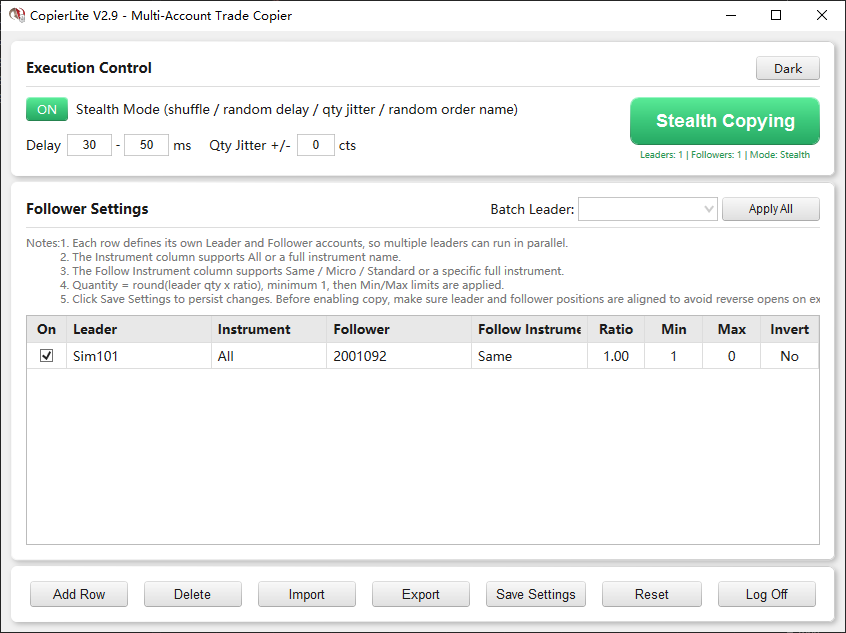
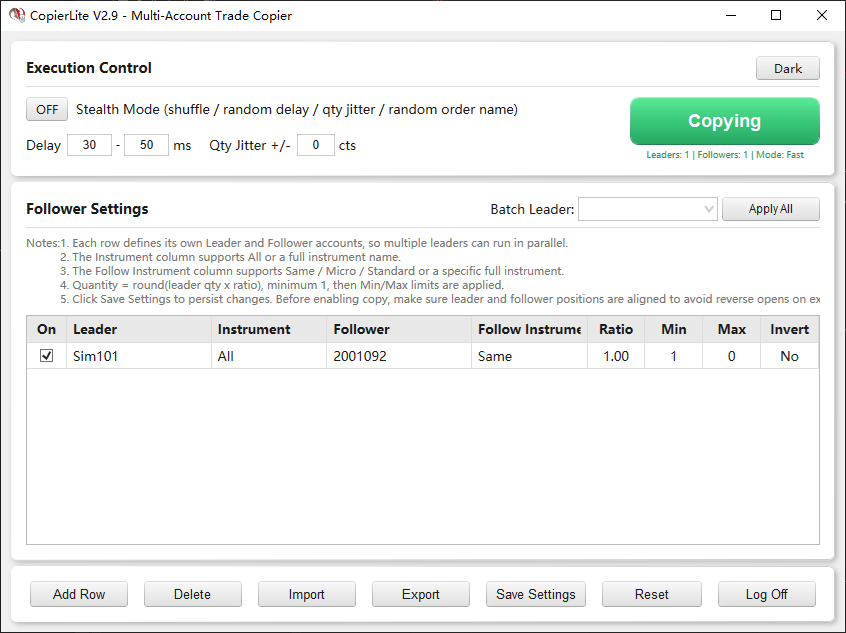
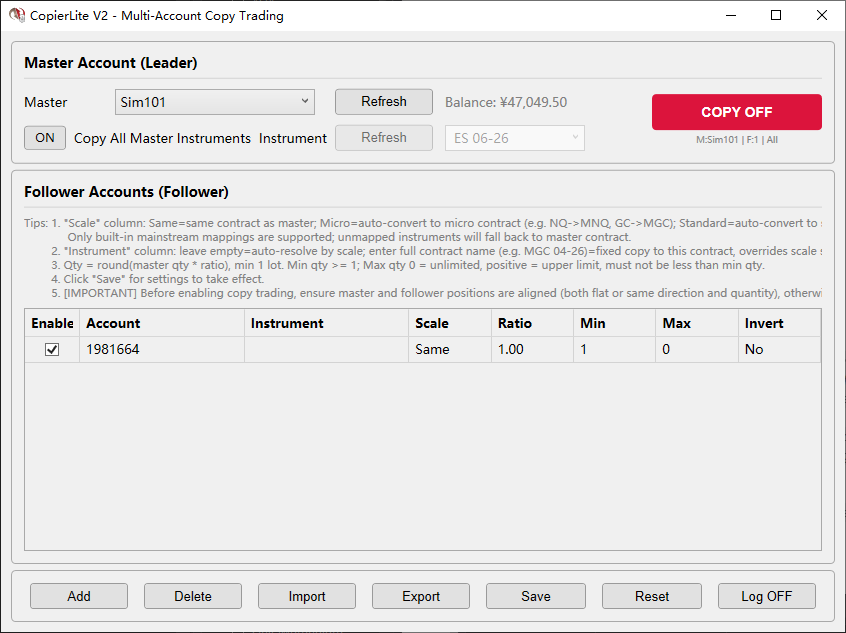
Download link:https://ninjatraderecosystem.com/user-app-share-download/copierlite/ CopierLite V2.9 is a lightweight NinjaTrader 8 trade copier AddOn designed for multi-account copy trading within the same platform. It runs in a standalone window and does not require a chart. Core capabilities: Copy architecture • One-to-many and many-to-many copying: Each row defines a separate Leader -> Follower mapping, and multiple leader accounts can run in parallel inside one window. • Fast direct-copy pipeline (single-path OnOrderUpdate trigger): - Market orders forward immediately on Accepted / Working / Submitted. - Limit and stop orders forward after Filled. - No follower-position lookup is performed on the hot path, which keeps latency extremely low. • OrderId deduplication: The same leader order is copied only once, with automatic expiration. • Anti-loop protection: Orders submitted by this plugin are detected and skipped, preventing infinite loops in multi-row or many-to-many setups. Instruments and quantity • Same-contract and cross-contract copying: Supports Same, Micro, and Standard automatic conversion, or a manually specified target instrument such as NQ -> MNQ or ES -> MES. • Quantity ratio: Follower quantity = round(leader quantity x ratio), with a minimum of 1. • Min / Max quantity: Applies only to opening actions (Buy / SellShort). Closing actions (Sell / BuyToCover) are not limited, which ensures a full flatten on the follower side when the leader exits fully. • Invert copy: Leader long -> follower short, and vice versa. Stealth Mode • Random execution order: Fisher-Yates shuffle is used to randomize follower submission order. • Random delay: All follower accounts can be delayed by a configurable random amount. • Quantity jitter + auto compensation on close: Random quantity variation is applied on opening orders, and cumulative deltas are automatically compensated on closing orders. • Random order names: Stealth orders use random characters + unique counter encoding. Theme and UI • Dark / light dual theme: A theme toggle is available in the top Execution Control section. • Auto-follow NinjaTrader theme: On first launch, CopierLite detects the current NinjaTrader theme and applies the matching UI automatically. • Title bar theme sync: The window title bar follows the selected theme through the Windows DWM API. • Theme persistence: Manual theme changes are saved and restored on the next launch. Operations and usability • Standalone launch: Start from Control Center > New > CopierLite Copier. • Persistent settings: Saved to Documents\NinjaTrader 8\AddOns\CopierLite_settings.cfg • Batch leader assignment: Apply one leader account to every row with one click. • Multi-row delete: Ctrl+Click / Shift+Click selection is supported. • Live statistics: Copied / success / failed counts update in real time.

-
- 5
-
-
kimsam reacted to a post in a topic:
NTOptimizer
-
⭐ option trader reacted to a post in a topic:
NTOptimizer
-
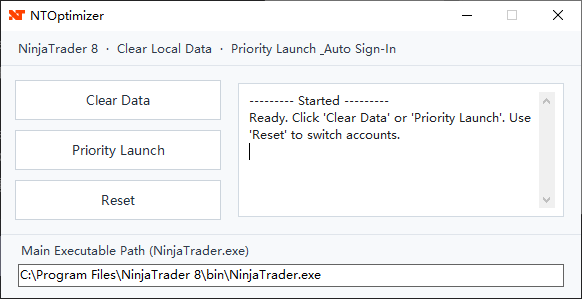
A Windows utility for **NinjaTrader 8.1.x**: The product name, program name, project, and namespace are all **NTOptimizer**, and the compiled output is **NTOptimizer.exe**. The program targets **.NET Framework 4.8**. It primarily does two things: 1. Cleans up the local cache/database directory under **`Documents\NinjaTrader 8\`**. 2. Starts NinjaTrader with higher priority and automatically recognizes the input fields and buttons in the login window through **UI Automation**, automatically filling in login information and triggering the login. The compiled files are shown below. After decompression, simply run the .exe file. NTOptimizer.zip README.txt
-
CaptainJack reacted to a post in a topic:
Does anyone have the Anchored Volume Profile indicator?
-
CaptainJack reacted to a post in a topic:
order flow analysis
-
CopierLite V2 is a lightweight NinjaTrader 8 copy-trading plugin (AddOn) for implementing "one-master, multi-follower" multi-account linked ordering within the same platform. Runs in a standalone window, no chart required. Core Features: * When the master account places an order, it is automatically copied to one or more follower accounts * Supports same-instrument copy, cross-instrument copy (e.g. NQ -> MNQ) * NEW: Scale auto-conversion (Same / Micro / Standard), no manual contract name entry needed * Supports quantity multiplier (0.5x / 1x / 2x ...) * Supports reverse copy-trading (master goes long, follower goes short) * Supports min/max quantity limits * Ultra-fast direct-through trigger (OnOrderUpdate: Market orders forwarded on Submitted / Limit & Stop orders forwarded on Filled) * Direct-through forwarding, no follower position checks, zero delay, zero decision-making * Standalone window, launch from Control Center > New > CopierLite Copy Trading * Interface uses fixed light theme (does not follow system dark/light switching) * Settings persisted to file, automatically restored after NinjaTrader restart V1 -> V2 Key Changes: * Indicator -> AddOn: no chart needed, standalone window operation * Added scale auto-conversion (Micro/Standard) * Added instrument filter dropdown (supports input + dropdown for common contracts) * Balance info moved to right of master account dropdown, COPY toggle moved to upper right * Interface uses fixed light theme for consistent cross-environment visuals * Settings file persistence (Documents/NinjaTrader 8/AddOns/CopierLite_settings.cfg) CopierLite_User_Manual.txt CopierLite_V2.zip
- 1 reply
-
- 4
-
-
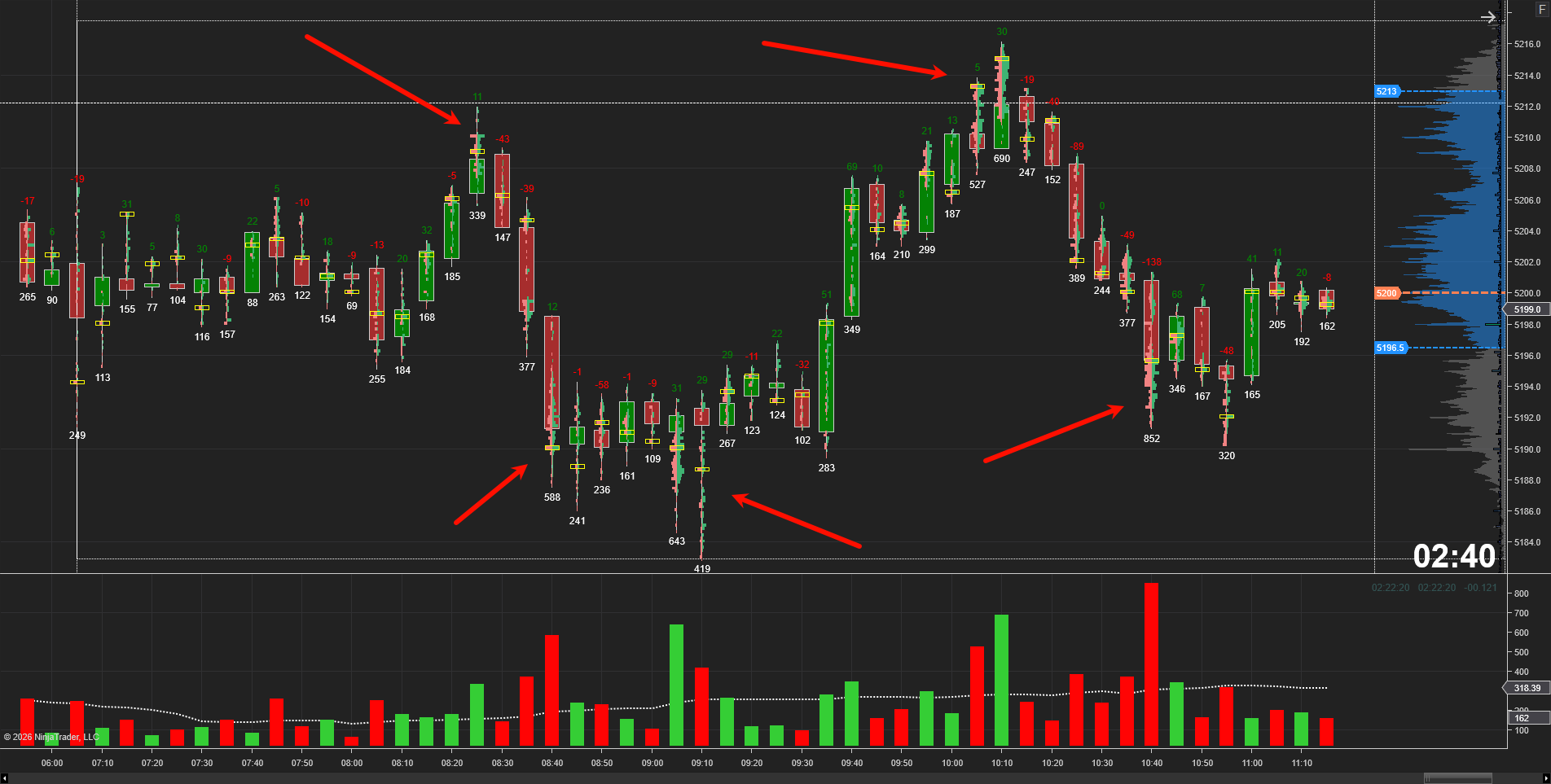
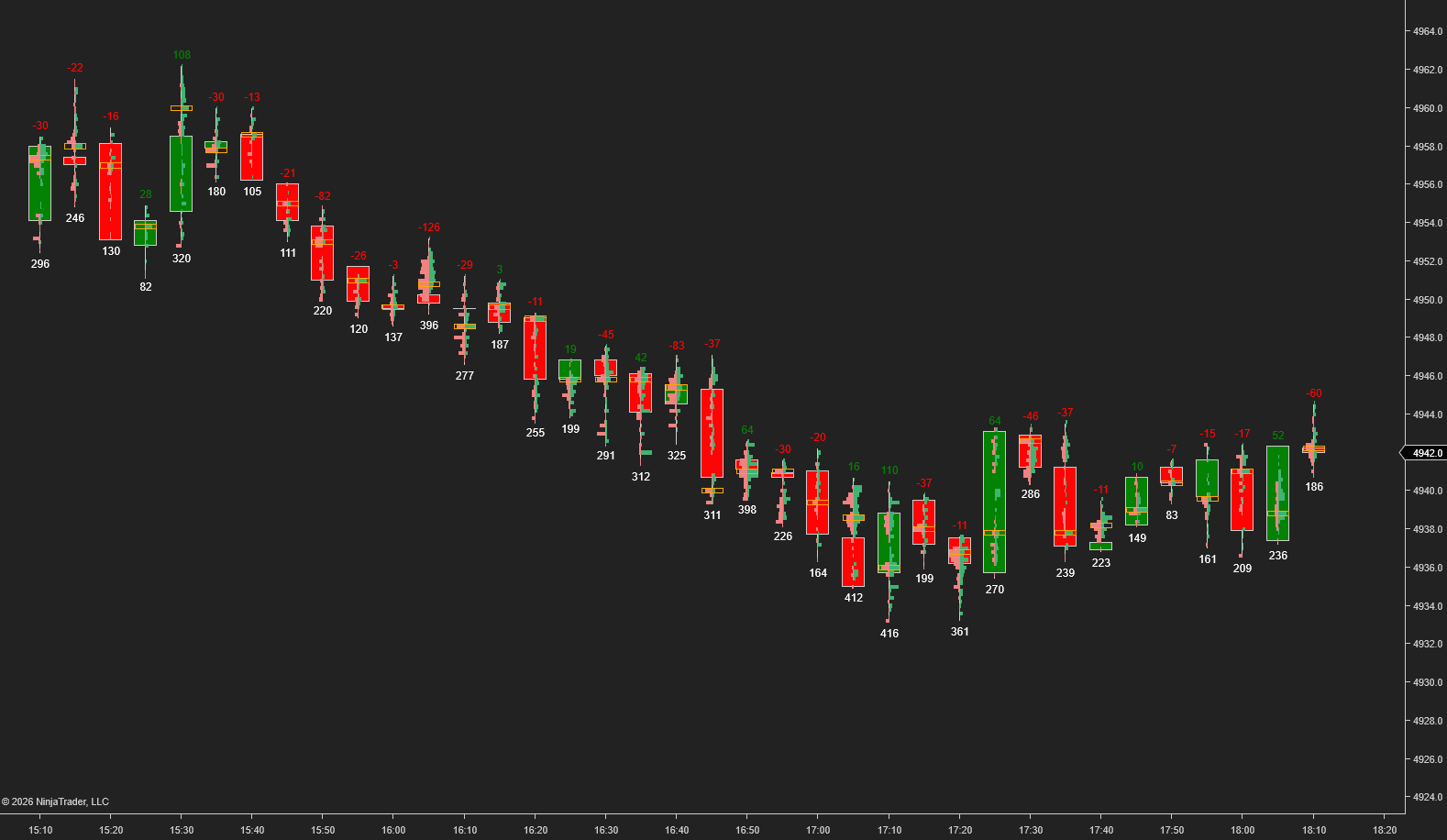
The image shown is one I shared in a previous post: https://indo-investasi.com/topic/97476-vp-or-bisask-displays-a-single-candlestick-chart-and-features-improved-filtering-capabilities/#comment-737973. The one on the far right is MZpack.
-
Personally, I feel that directly observing the bullish and bearish dynamics in candlestick charts is more intuitive.
-
ChartVWAP_EN.zip
-
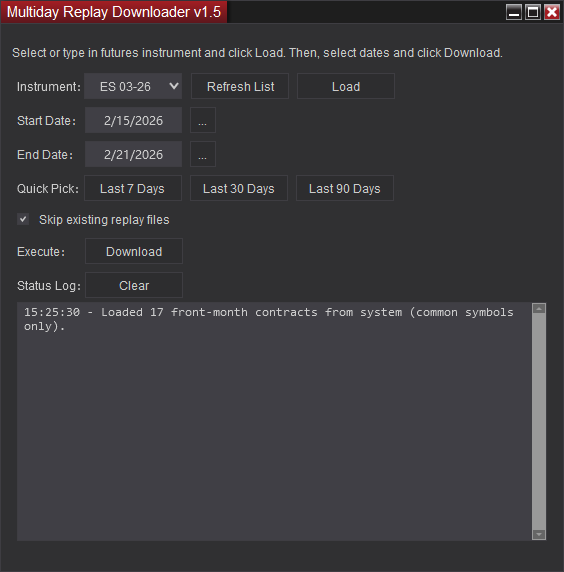
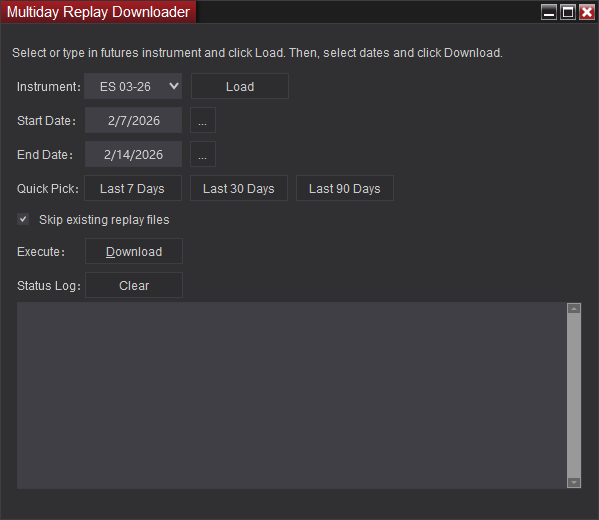
Update Content: 1.Date range selection: skip Saturdays only. 2. Quick Date Selection (Last 7 Days/30 Days/90 Days) Before Correction: The range included today, actually 8, 31, and 91 days (Today - 7 to Today = 8 days). After Correction: No longer includes today, only up to yesterday, actually 7, 30, and 90 days. Reason: Data for the current day may be incomplete; only yesterday and earlier dates have complete historical data. The start date is several days ago, and the end date is fixed as yesterday. 3. Manually Selecting the End Date If today is selected as the end date, a prompt will be given in the status log. Prompt Content: Data for the current day may be incomplete; it is recommended to select yesterday as the end date. The prompt appears immediately after calendar selection or manual input; there is no need to wait until clicking download. You can still select today to continue downloading; it will not forcibly block downloads. 4.Automatically retrieves the main contracts for commonly used instruments from the system (filtered after calling Instrument.All), and removes hard-coded lists. The "Refresh List" button can be used to manually refresh the list. MultidayReplayDownloader V1.5.zip
- 5 replies
-
- 14
-
-

-
Does anyone have the Anchored Volume Profile indicator?
CaptainJack replied to CaptainJack's topic in Ninja Trader 8
No, thank you, I need ninjatrder's. -
Does anyone have the Anchored Volume Profile indicator?
CaptainJack posted a topic in Ninja Trader 8
Does anyone have the Anchored Volume Profile indicator? Or a similar drawing tool that can draw a custom Volume Profile, preferably with open-source code. https://hameral.com/pro-order-flow-anchored-volume-profile-for-ninjatrader/ -
ChartToolBar.zip
-
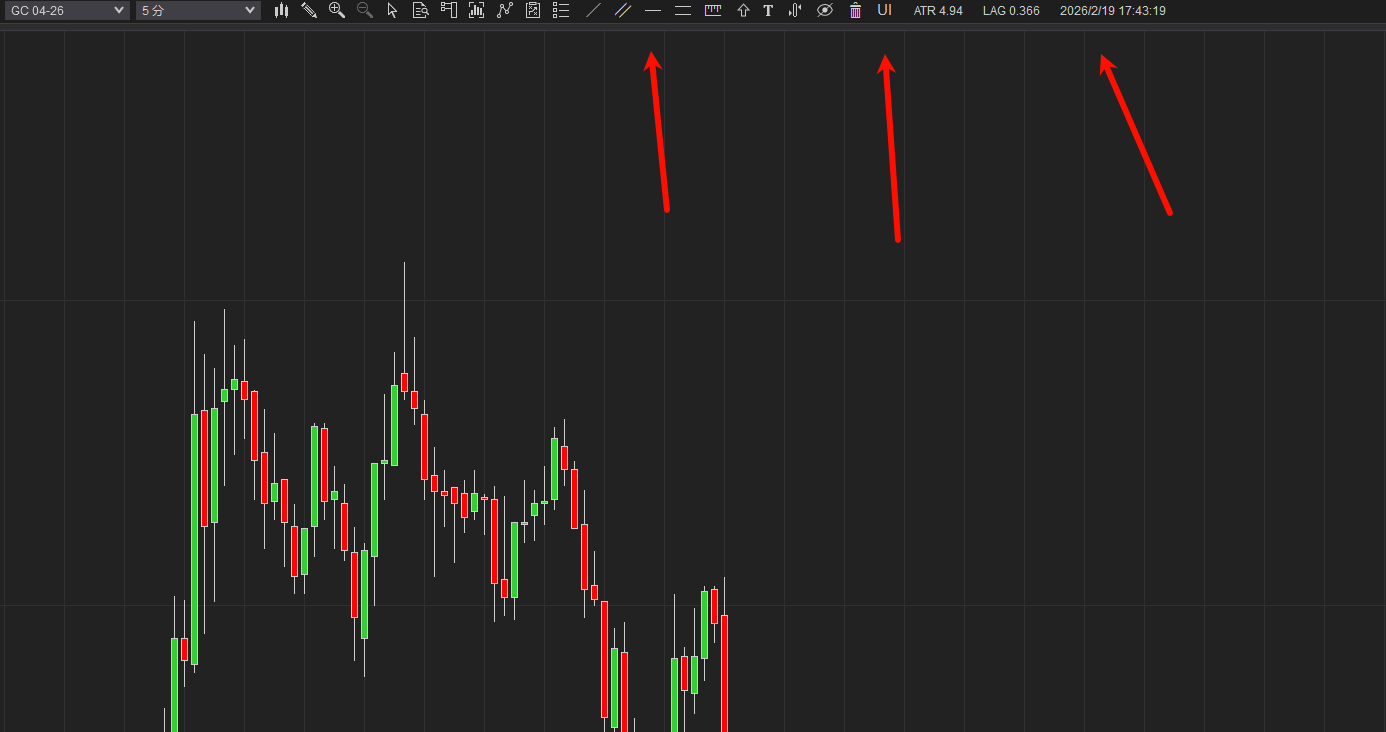
ChartToolBar is a toolbar indicator that centralizes commonly used charting tools and practical functions at the top of the chart, allowing for easy one-click access without having to switch back and forth through menus. It supports one-click switching/hiding of chart objects, batch deletion of charts, one-click management of indicator visibility, and includes built-in ATR volatility value, market latency (Lag), and time display. It also provides enhanced user experience features such as left-click free-dragging (Panning) and scroll wheel zooming. ChartToolBar.zip
-
Optimized Version 2 BarFootprintVP_V2.zip
-
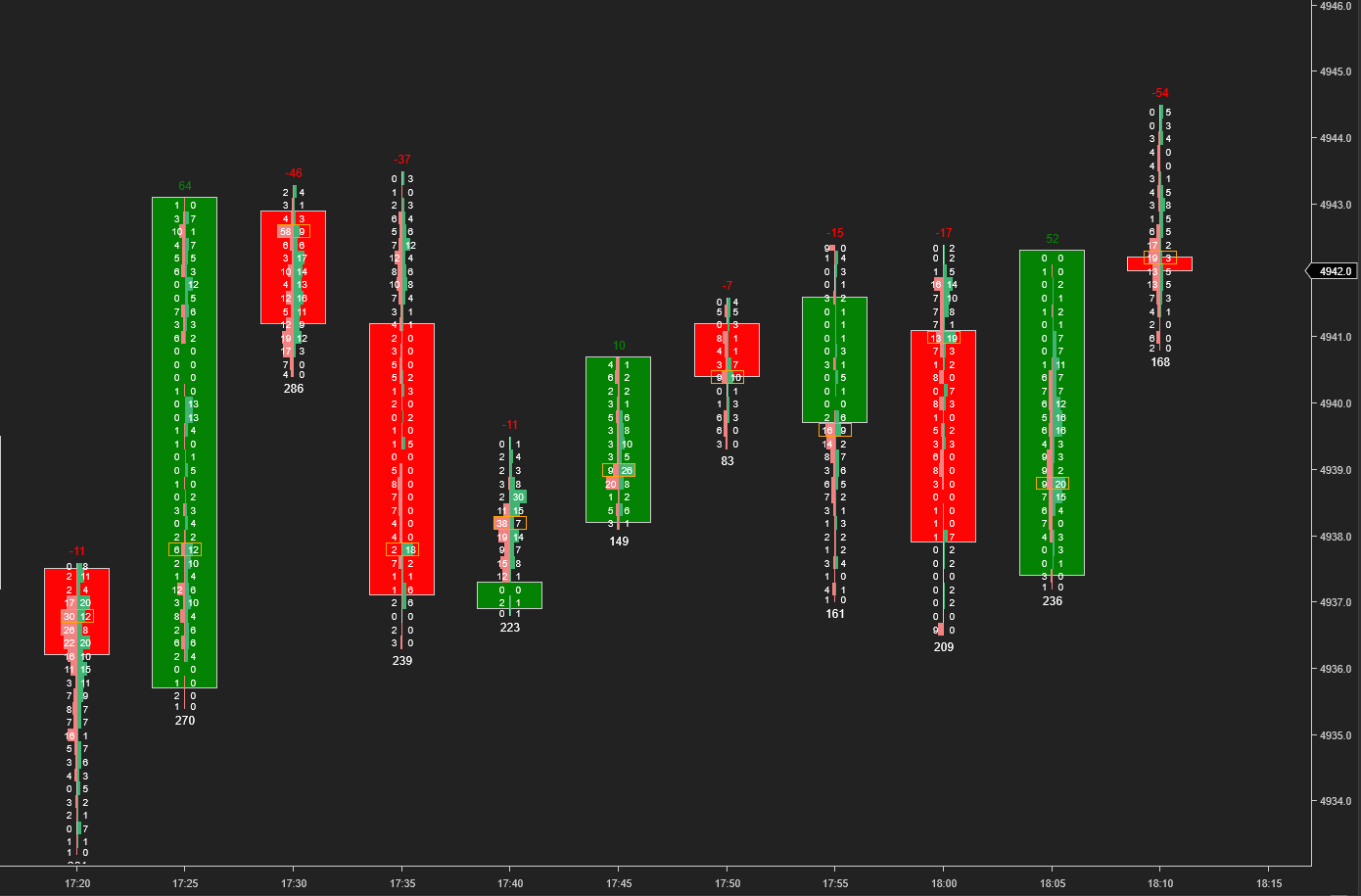
VP or Bisask displays a single candlestick chart and features improved filtering capabilities. BarFootprintVP.zip
-
Core feature: Add a "UI" button to the chart toolbar to manage the display/hide of all indicators on the chart. IndicatorManagerUI.zip
- 1 reply
-
- 11
-
-
-
The updated interface is optimized and can also be used with older versions of NinjaTrader 8. MultidayReplayDownloader.zip