⤴️-Paid Ad- Check advertising disclaimer here. Add your banner here.🔥
Leaderboard
Popular Content
Showing content with the highest reputation on 03/10/2026 in all areas
-

Pack 205 NinZa Indicators
⭐ epictetus and 19 others reacted to Eva Grey for a topic
Pack 205 NinZa Indicators https://workupload.com/file/rB7xmeWW6z6 First install the indicators, then the resources https://workupload.com/file/fB9HktcxFY720 points -

Pack 205 NinZa Indicators
Luke SteelWolf and 4 others reacted to Ninja_On_The_Roof for a topic
As I have mentioned in the past. If you already have a bunch of Ninza indicators that are working perfectly for you right now, before you install any new Ninza indicator. Do go into your document/bin/custom and look for the resource file(s), copy and save it somewhere on your PC. This step is to just ensure that, if for whatever reason, you happen to screw up or to kill some of your favorite Ninza indicators from working, then you can always go back in reverse, by just copy and paste the previous saved resource file(s) back into your bin/custom folder. Instead of being stressed out and uninstalling your whole NT8 and then reinstalling it all over again and again...Saves you a whole lot of time. Eve's pack contains most of the common indicators which were previously packaged just like from N9T and Luke SteelWolf and myself recently. With the exception of some paid versions of Jumpboo$t, Captain Optimus, OmniScan, QuantumDelta... Keep in mind that, some specific Ninza indicators do need Tick data to work or to show up correctly on your charts. So before saying they do not work, make sure you enable or check that Tick data box.🤗 They should all work fine without issues with the included resource file. I wanna take a moment to once again, thank you all of them for taking the time and energy putting them altogether and sharing with us all. Great dedication and contribution! Kudos to them!🤗5 points -

ninjastrategyloader.com
⭐ goldeneagle1 and 4 others reacted to Minigems for a topic
Here you go. Cheers: https://workupload.com/archive/58UXLRJNrC5 points -
Pack 205 NinZa Indicators
Alain and 4 others reacted to Ninja_On_The_Roof for a topic
@Eva Grey First, thank you so very much for your contribution and the precious times you have spent and put this into a gorgeous gift package. Second, now you make peeps all excited, yet at the same time, with their heads spinning, they now dont know which ones to keep as their favorites.😂 Thanks again.5 points -
Thank you so much @Ninja_On_The_Roof. I really appreciate your clear explanations and the time you always take to help everyone here. Your posts and clarifications are consistently useful, and all the contributions you’ve made to this forum have helped a lot of people. Thanks again for sharing your knowledge and for always pointing people in the right direction 💓4 points
-
DTTW - Atlas Line
⭐ SignalTime and 2 others reacted to Ninja_On_The_Roof for a topic
As for the AtlasLine, I recall that I posted it days ago somewhere. If you still need it, please let me know. I do not use it personally but hey, it is a good tool to inform you to stay with the same direction of the move. The ATO is just pretty much ORB strategy. When I first started out trading many years ago, I did buy the course. They didnt have the indicator for it back then. Just a PDF course that shows you in details how to trade it. If I recall it correctly, at 06:30AM (my Pacific time zone, for you, might be 09:30AM), you draw a vertical line at this time then at 06:52AM, you draw another vertical line at this time. Draw a horizon line for the high and the low from these two time zone. You then sit and wait for price to break out from either sides, high or low level. Then place a limit order at the exact level where price broke out, or just a tick or two from the levels. The idea here is to have price to pull back and fill you with your limit order. Target and stop, for DTTW, has always been the ATR. They set it at 4, instead of the default of 14. Round up the number a tad. Let's say, the ATR show 2.45. You would say, it is 2 points and a half. The point here is, if the ATR tells you the anticipated move is about 2 and a half point, but you decide to have your target for 5 points, then you might not see or reach that. Same idea for stop. The anticipated move, up or down is 2 and a half points but you place your stoploss for only 1 and a half point. Then you might just get whacked in the head. Regardless, to trade it correctly with DTTW stuff, when it comes to their stoplosses, they have a few different types of them. Such as time based stop. Once you are in a trade, your trade goes nowhere and there are already 5 candles or more from your entry point, it might just be time to exit for a break even or a small loss. They want to be in and out as quickly as possible. There is also another called "catastrophic stop" and more... Do watch many of their videos on YouTube to get the overall ideas so you can trade effectively.🥰 As far as for the Scalper. If you look to the left of your chart, you will see why the signals are fired. It is a break out of your left. Whether it is a support or a resistance.3 points -
DTTW - Atlas Line
techfo and 2 others reacted to Ninja_On_The_Roof for a topic
Here are the edu ones. Roadmap, Scalper and News. https://workupload.com/archive/t5w5Aj85S33 points -
Mar 05, 2026 2.2.06 Added info banner for "Bars to Process" latest version need edu https://workupload.com/file/4QyfBQeZJ6S2 points
-

A new diamond in the rough- a very good educator
Traderbeauty reacted to ⭐ rcarlos1947 for a topic
My experience with brokey has been excellent. I have only bought a single product from him which worked flawlessly from the start. When changes occurred in my environment that I could not resolve, He worked with Me to find a solution, sometimes my issue, sometimes his product. Each time He was respectful, methodical, and professional. Again, that has been my experience.1 point -

maverickindicators.com
lis22 reacted to dieseljack for a topic
I think the Radar indicator released for NT8 last night? Anyone have it and can share?1 point -

Pack 205 NinZa Indicators
Ninja_On_The_Roof reacted to FCScalper for a topic
Go Eva go Eva! Thank you for the at1 point -

House Of Live Trades
Ninja_On_The_Roof reacted to Kermit 1981 for a topic
RIPS may be a great trader, but I never learnt a thing from him. Also, the constant burping on his streams really puts me off. Matt’s streams (rocketscooter) are way more insightful—someone here already recommended him earlier in the thread1 point -

Pack 205 NinZa Indicators
Ninja_On_The_Roof reacted to ⭐ aniketp007 for a topic
thanks eva1 point -
@Minigems please1 point
-
Woah! What a pack! Thank you! Edit: Would the resources have to be reinstalled if you installed more indicators to test out? Example: install indicator > install resources > install more indicators > reinstall resources... ?1 point
-
1 point
-
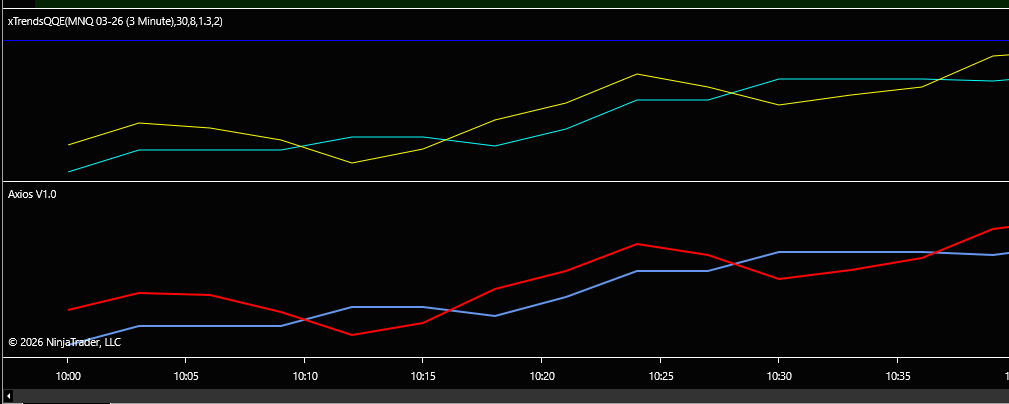
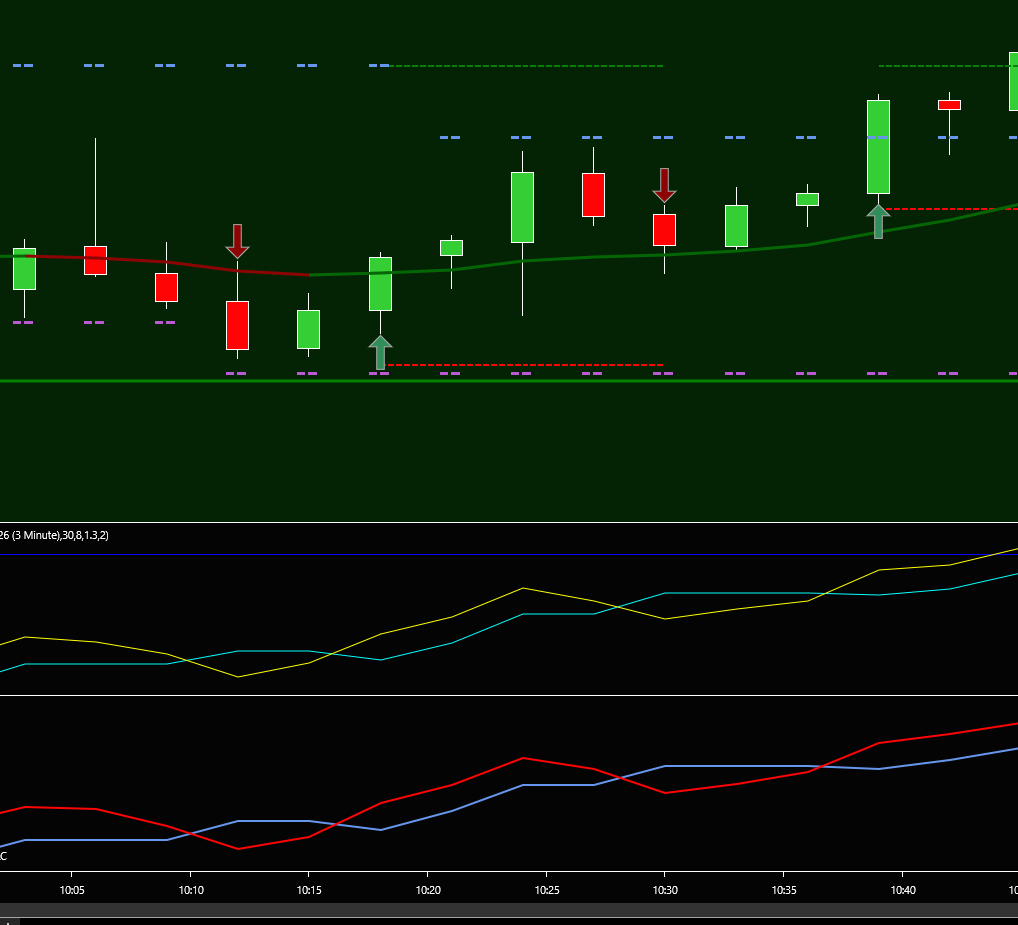
the Plots match perfectly and the arrows we would have to add to the qqe indicator ill be working on it, once i get sometime. The arrows follow the next bar after the plots cross.
 1 point
 -

Req: Advanced Get 7.8 421
⭐ chullankallan reacted to xixix for a topic
Thank for suggesting a work around, this community is indeed very helpful and responsive, Yes I tried and it works, but I found 9.1 also crashed alot . 7.8 build 420 is very stable. Cheers, xixix.1 point -
NinZa Multi-Instrument Synergy (Fusion)
techfo reacted to Ninja_On_The_Roof for a topic
https://workupload.com/archive/22cXUVn8aa1 point -

marketxero.com
⭐ aniketp007 reacted to ⭐ apmoo for a topic
https://workupload.com/file/22VRn6P43ar Thanks1 point -

House Of Live Trades
Kermit 1981 reacted to kingmob6 for a topic
I don't know how to edit the post, but that was a live video, here is the channel: https://www.youtube.com/@launchpointtrading1 point -

House Of Live Trades
Kermit 1981 reacted to vonita for a topic
https://www.youtube.com/@RocketScooterAI/streams1 point -

Motivewave 6.9.9
mexitrader reacted to kkreig for a topic
https://workupload.com/file/vKQFUYj8T7X1 point -
Make sure you enable tick replay and have at least 3 days of data on your chart. Good use on the 2000 volume chart and 4 minute chart. scalping the next candle, or wait for the signal candle to be violated high or low of the signal and then reverse too. Also great for support and resistence, will leave here a 5 min chart with boxes show that. DeltaScalperNT8.zip1 point
-

TURTLE_Original_Turtle_Trading_System.
mexitrader reacted to ⭐ Atomo12345 for a topic
TURTLE_Original_Turtle_Trading_System. https://workupload.com/file/mfVMh5gpcFe1 point -

maverickindicators.com
Kermit 1981 reacted to AllIn for a topic
The Dev released a video where he automated the Trender. I was able to do the same with the predator. Attached predator template. This is basic, but will get you started. Cheers Maverick AI Pro Trender.xml1 point