⤴️-Paid Ad- Check advertising disclaimer here. Add your banner here.🔥
All Activity
- Past hour
-

Latest MTP PREDICTOR NT8 ADDON EDU
Ninja_On_The_Roof replied to danielndiso254's topic in Ninja Trader 8
Use a hammer, then "crack" the file open - just like how you "crack" a coconut. See what is inside of it... This version is still pretty much the same as the previous version. All the major important functions and concepts are all there with the old version.🤗 MTP is not a just plug-in and play. One still needs to have some basic knowledge such as how to analyzing his/her charts, S/R levels, mutil different time frames analysis...If you think you can just sit and wait for the signal to show up and enter your trades purely based off the MTP's signals, you are in for a world of pain, drowning in a sea of red. -
This got confusing. I think the original topic was about the Kiss strategy from the Timeless people. Not the Kiss Orderflow. Entirely different for these two. None related.🫡
-
Do you know the Auto Strategy Builder of tradedevils?
Ninja_On_The_Roof replied to chillon's topic in Ninja Trader 8
Maybe, this is where you might wanna start first. Just to get some basic ideas on how to play around with your strats. -
 Harrys reacted to a post in a topic:
REQ TDU F00tprint v26 beta
Harrys reacted to a post in a topic:
REQ TDU F00tprint v26 beta
-
 Harrys reacted to a post in a topic:
KimSam NT8 GEX Calc
Harrys reacted to a post in a topic:
KimSam NT8 GEX Calc
-
Harrys reacted to a post in a topic:
KimSam NT8 GEX Calc
-

Do you know the Auto Strategy Builder of tradedevils?
kingmob6 replied to chillon's topic in Ninja Trader 8
so I loaded it, its in there, but I have no idea how to actually test my strategy with it. Any pointers? I am a bit lost. - Today
-
trader88 reacted to a post in a topic:
Replikanto 1.6.1.2
-
Thanks but this is an indicator, not the strategy.
-
⭐ option trader reacted to a post in a topic:
Metastock 20 realtime c*****d
-
⭐ Mestor reacted to a post in a topic:
KimSam NT8 GEX Calc
-
can anyone crack this uneducated stand-alone version 8.5.2.2 pls
-
mexitrader reacted to a post in a topic:
Motivewave 6.9.3
-
KJs reacted to a post in a topic:
KimSam NT8 GEX Calc
-
Please apply this notes: Hello, You may want to contact our support to see if we can assist. In a small number of cases we have seen where the program can hang with certain display settings. This has been seen only recently. While we are uncertain as to the source of the issue, it is possible that a recent Windows update has triggered this behavior. One thing you can try to see if this might help is: 1. Right-click on the MetaStock shortcut and click Properties 2. Click the "Compatibility" tab 3. Click the "Change High DPI Settings" button 4. Place a checkmark next to "Override high DPI scaling behavior." 5. Click on the drop-down box and change this to "System" 6. Click OK Try launching MetaStock and see if this helps. If not you may still want to contact our support https://www.metastock.com/company/contact.aspx to see what else can be done.
-
@Ninja_On_The_Roof Thank you so much.
-
KJs reacted to a post in a topic:
neoharmonics toolkit
-
fxtrader99 reacted to a post in a topic:
KISS strategy
-
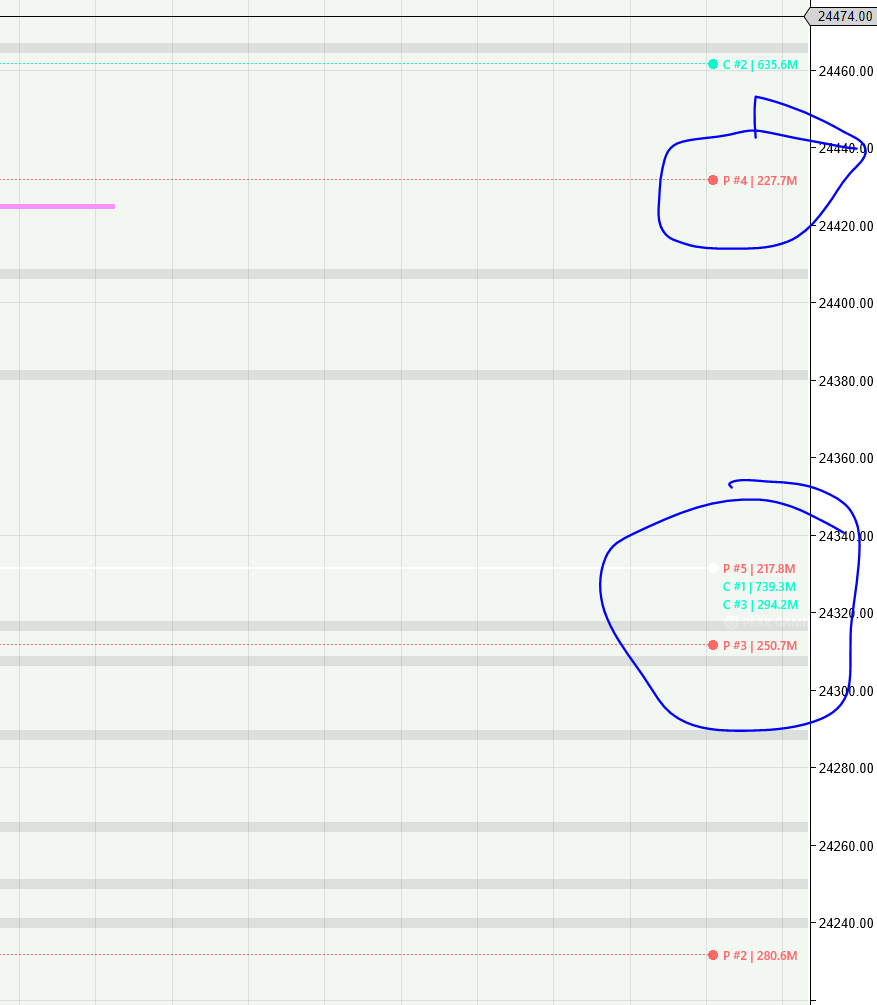
Great tool to get Gamma Flip level, Peak Gamma (strike with highest absolute GEX), Top 5 call/put walls, net GEX, the unique way you have addressed Fills missing Schwab gammas with a clean Black–Scholes fallback and logs live vs BS fill percentage . Please include if you can volume‑based GEX (flow‑oriented), major positive/negative GEX by volume, zero‑gamma by volume. Ability to filter out far end strikes, ability to export to csv file, png chart output, support for CBOE API (free), buttons appear in the middle of the chart and can be pushed to the top. dashboard toggle. The truth engine keeps on running every 3mins. a configurable parameter needed. Disconnect/Connect can be expanded to shut down the truth engine as I see it runs whenever the chart is loaded. One more thing is Top GEX markers P #5 | 3.16B, include the price level also like P#5 | 3.16B | 24250 for example.
-
Metastock 20 crash in system test and Explorer.
-
Here is the latest kiss Flowing 🤣 KISSOrderFlow_V_2.2.06.dll
-
Anyone can educate it? @Ninja_On_The_Roof TDUFootPrint Beta V26.zip
-
- 1
-
-

Do you know the Auto Strategy Builder of tradedevils?
sarutobi replied to chillon's topic in Ninja Trader 8
TDUFootPrint v2.0.0.26.zip latest TDU Footprint non EDU -
Sorry, this is uneducated MTP Standalone. It needs be educated by one of our great educators!
-
Limit Order Visualizer https://tradingorderflow.com/product/limit-order-visualizer/ If anyone has this metric, please share it.
- Yesterday
-
-
Will add it .. * the offset price i added it to adjustable the stokes gex prices to the futures prices
-
the truth engine runs every 3 mins. Can you provide a parameter in the cs file to control this ? say default 30min and overide 3min or user sets the time in minutes. ? What is the offset price check mark (converted levels ?). Another parameter in the NT script would be % of Option expiration that should be used in the GEX calculation. Currently I am not sure if the engine is using all the 1400s option chain expiry
-
Make sure the Offset price ✔️ checked
-
As u know u can use it on GC NQ ES ... and other .. just change the port .. from the indicator settings ..
-
Good job.. enjoy it🙂
-
Does anyone have the TEAM template 150 days, as mentioned on Discord?here is a picture of the results but no settings! Thanks

-
-
ignore, working now
-
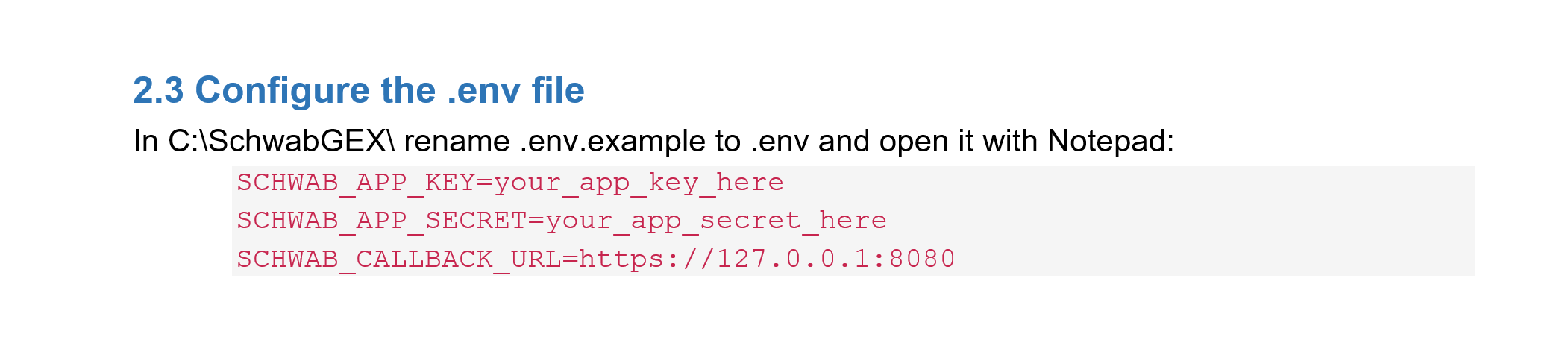
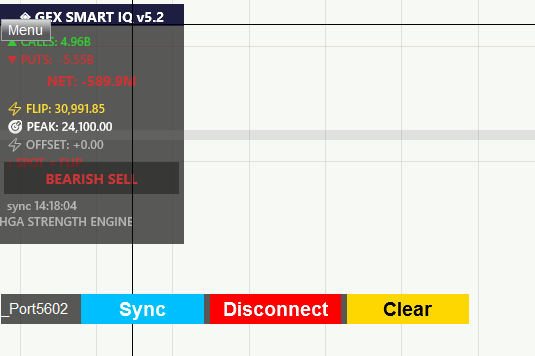
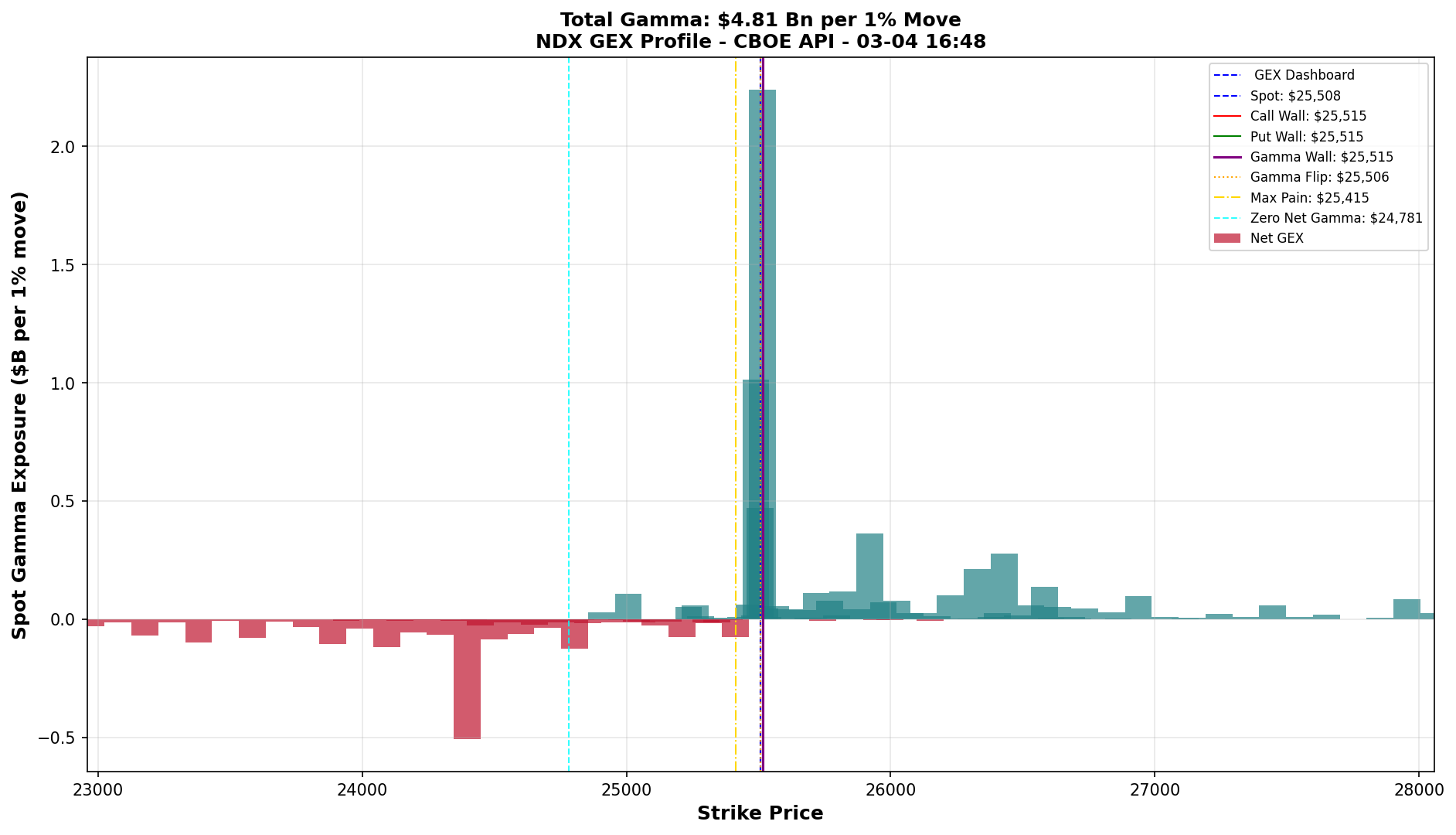
Hi Kimsam, Thank you for the script I had been looking for this for a long time. You managed to write this out in a day. Kudos. Reg setup I have one question, Py files were stored in a C:\ GEX enhancement\ directory. Python requirements were installed using pip sucessfully The .env.example file was renamed to .env and api secret and callback url was added/changed. I am assuming the callback url is what I have setup in the schawb portal and is not always 127.0.0.1.8080. Next the cs file was compiled and added to the nq chart with realtime data. The parameter python script Path now has the path set to C:\ GEX enhancement\Schwab_GEX_Publisher.py Ran the schwab reauth py script and generated the token The popup now shows the correct data and chart lines are also drawn see attachments. Is it possible to send the Truth GEX engine output to a csv file ? I have attached NQ_GEX_Summary_Latest.csv and a sample ndx.png file. If you can enhance this py script to output this would be fantastic. A valuable enhancement. pl check the files attached. NQ_GEX_Summary_Latest.csv Finally got it working. Amazing early christmas gift !!!!!