⤴️-Paid Ad- Check advertising disclaimer here. Add your banner here.🔥


Gretta
-
Posts
196 -
Joined
-
Last visited
1 Follower

Gretta's Achievements






-
Read some reviews on the fixed Brokey version. Seems to be working good.
-
 Gretta reacted to a post in a topic:
KimSam Ai trading system on ninjatrader
Gretta reacted to a post in a topic:
KimSam Ai trading system on ninjatrader
-
I know, I know. The Artificial Analysis Intelligence Index v4.0 that incorporates 10 evaluations: GDPval-AA, 𝜏²-Bench Telecom, Terminal-Bench Hard, SciCode, AA-LCR, AA-Omniscience, IFBench, Humanity's Last Exam, GPQA Diamond, CritPt and evaluates all the AI models based on that, is trash because you have better models that can analyze and compare the different AI systems. Do post the results of your testing.
-
For raw intelligence, paid models of Chatgpt and Gemini are on top https://artificialanalysis.ai/
-
Gretta reacted to a post in a topic:
KimSam Ai trading system on ninjatrader
-
Gretta reacted to a post in a topic:
codentrade.com
-
They are magical but only because they repaint.
-
Brokey has it. Don't know the cost.
-
Gretta reacted to a post in a topic:
TradeTerminator
-
Gretta reacted to a post in a topic:
https://predictindicators.ai/#indicators
-
Gretta reacted to a post in a topic:
A11 overnight strategy
-
Does importing a new Resources file mess up previously working indicators?
-
Gretta reacted to a post in a topic:
ninZa.co Imbalance Volume Sensor
-
Gretta reacted to a post in a topic:
Hawks latest version
-
Gretta reacted to a post in a topic:
autofuturestrading.com
-
Since we don't seem to be able to get an educated version, I'm just building strategies with Strategy Builder using Niniza indicators. The parameters are all given on their website.
-
booster reacted to a post in a topic:
MoneyBall needs fix
-
luludulu reacted to a post in a topic:
TradeSaber Predator X OrderEntry LT V3.0.2.8
-
No surprise. Trending systems always have videos that show trending markets. Ranging systems show ranging market videos.
-
Possibly. As I recall, set up the Windows etc folder and have a file return the authorization.
-
Did this ever get educated?
-
Getting is on the NinZaSonarlikeIcebergFinder_NT8

-
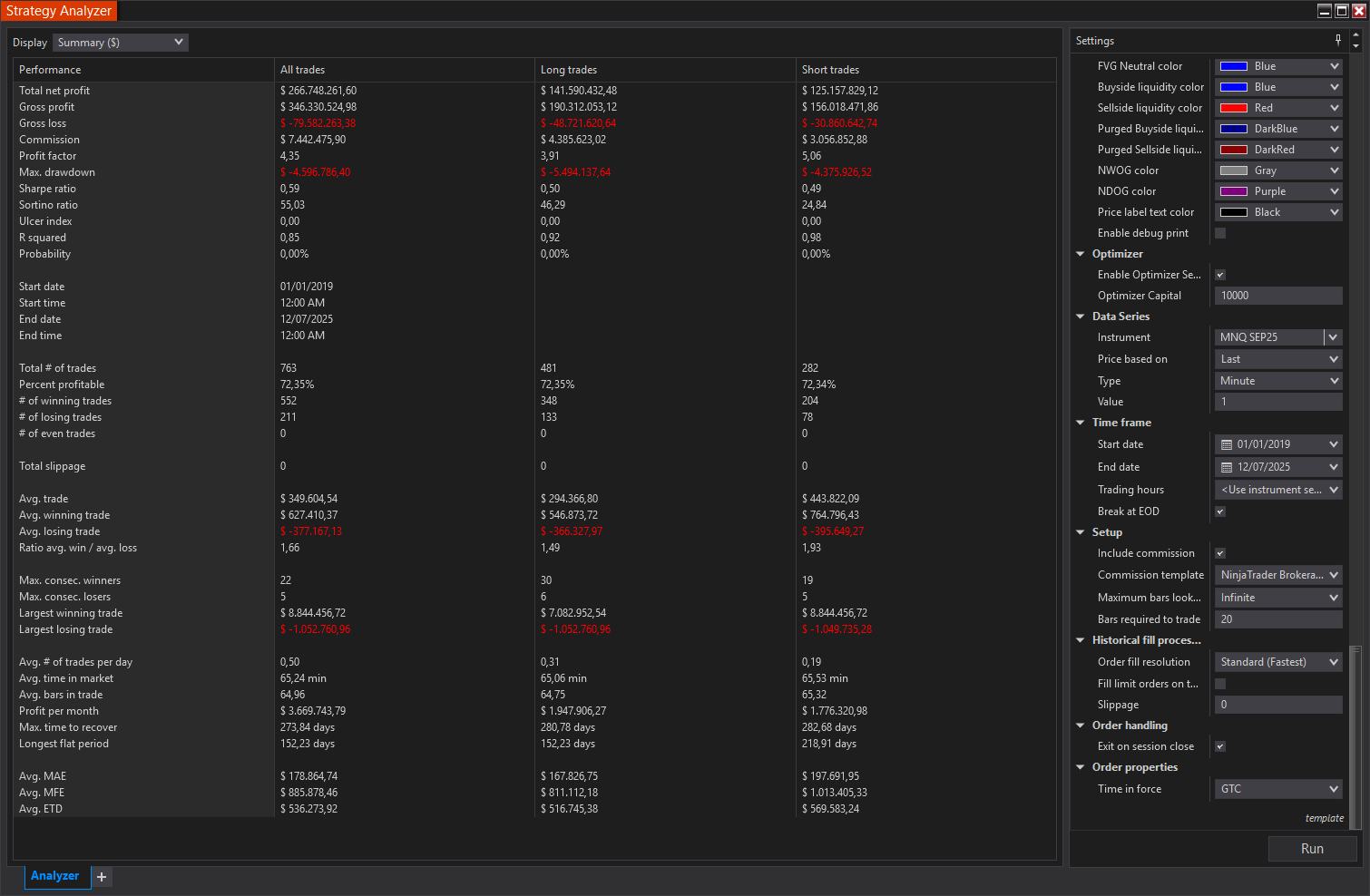
Those are the results as shown here: https://mwshops.nl/#results Like I said, we need the template from them to get the settings.
-
Working good, Thanks. We need to track down the template for the dozens of settings in order to duplicate his results:
-
atljam reacted to a post in a topic:
TradeSaber Predator X OrderEntry LT V3.0.2.8
-
hybrid76 reacted to a post in a topic:
TradeSaber Predator X OrderEntry LT V3.0.2.8
-
Can one of our educators please check?
-

8.1.5.2 64-bit unable to change timezone it is grayed out
Gretta replied to ⭐ rcarlos1947's topic in Ninja Trader 8
# Define the file to search for (e.g., by name or path) $fileName = "example.txt" # Replace with your file's name $searchPath = "C:\Users\YourUsername\Documents" # Replace with the folder to search in # Define the text to find and replace $textToFind = "old line of text" # Replace with the text you want to find $textToReplace = "new line of text" # Replace with the new text # Find the file $file = Get-ChildItem -Path $searchPath -Recurse -Include $fileName -ErrorAction SilentlyContinue if ($file) { # Read the file content $content = Get-Content -Path $file.FullName # Replace the specified line of text $newContent = $content -replace [regex]::Escape($textToFind), $textToReplace # Save the updated content back to the file Set-Content -Path $file.FullName -Value $newContent Write-Host "File updated successfully: $($file.FullName)" } else { Write-Host "File not found: $fileName" } Sure. See the above.