⤴️-Paid Ad- Check advertising disclaimer here. Add your banner here.🔥


FCScalper
-
Posts
116 -
Joined
-
Last visited
-
Days Won
10
2 Followers

FCScalper's Achievements






-
 ⭐ Aurel88 reacted to a post in a topic:
DT Range Volume Profile
⭐ Aurel88 reacted to a post in a topic:
DT Range Volume Profile
-
 ⭐ goldeneagle1 reacted to a post in a topic:
LET'S SHARE YOUR STRATS
⭐ goldeneagle1 reacted to a post in a topic:
LET'S SHARE YOUR STRATS
-
Ac423 reacted to a post in a topic:
SuperDOM Series
-
pygmalion5000 reacted to a post in a topic:
SuperDOM Series
-
Ninja_On_The_Roof reacted to a post in a topic:
Pack 205 NinZa Indicators
-
Eva Grey reacted to a post in a topic:
Pack 205 NinZa Indicators
-
Go Eva go Eva! Thank you for the at
-
kingmob6 reacted to a post in a topic:
Delta scalper
-
alxgt82 reacted to a post in a topic:
SuperDOM Series
-
⭐ ajeet reacted to a post in a topic:
LET'S SHARE YOUR STRATS
-
sunsay reacted to a post in a topic:
BigTrades Indicator
-
FCScalper reacted to a post in a topic:
BigTrades Indicator
-
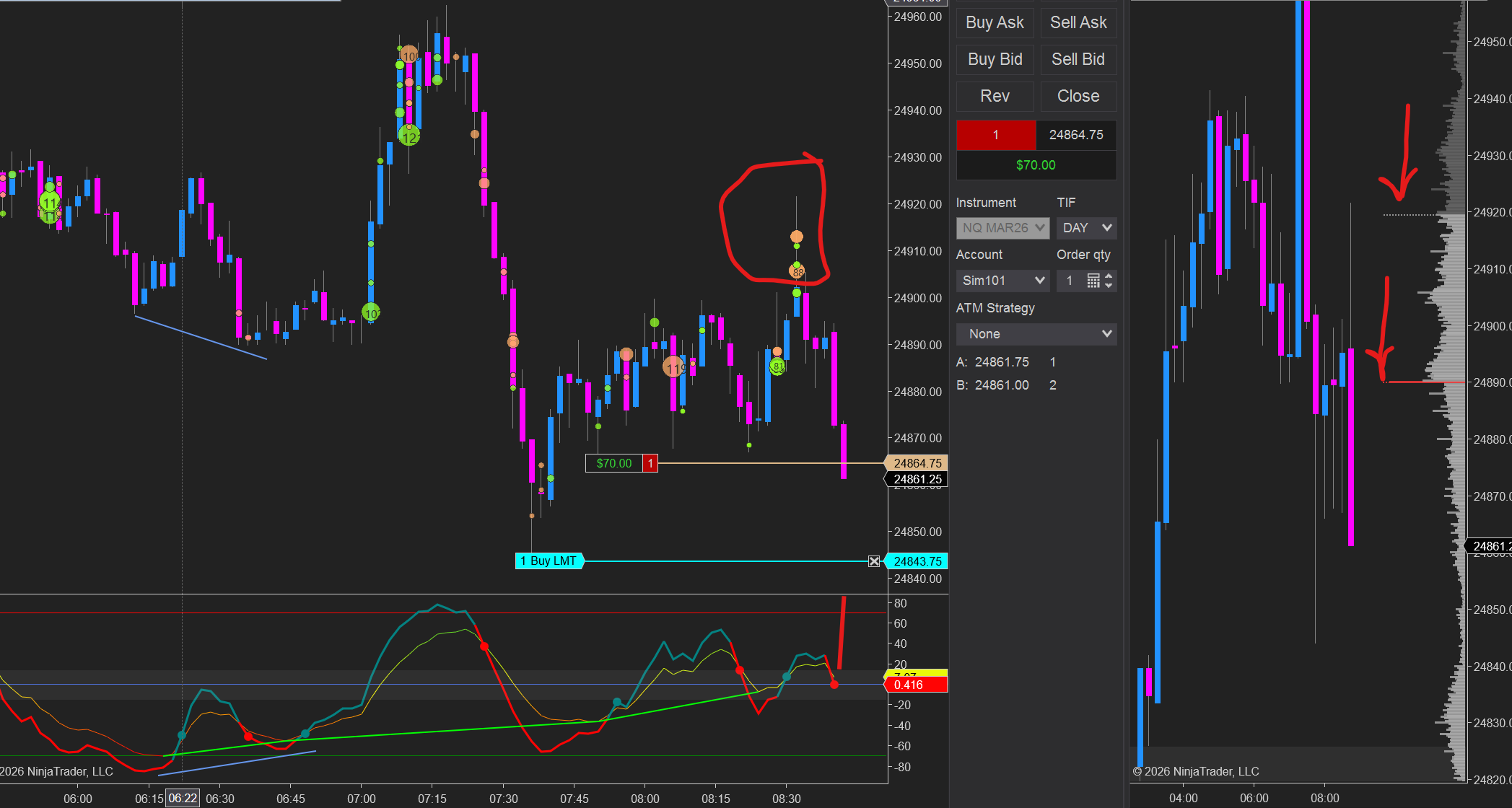
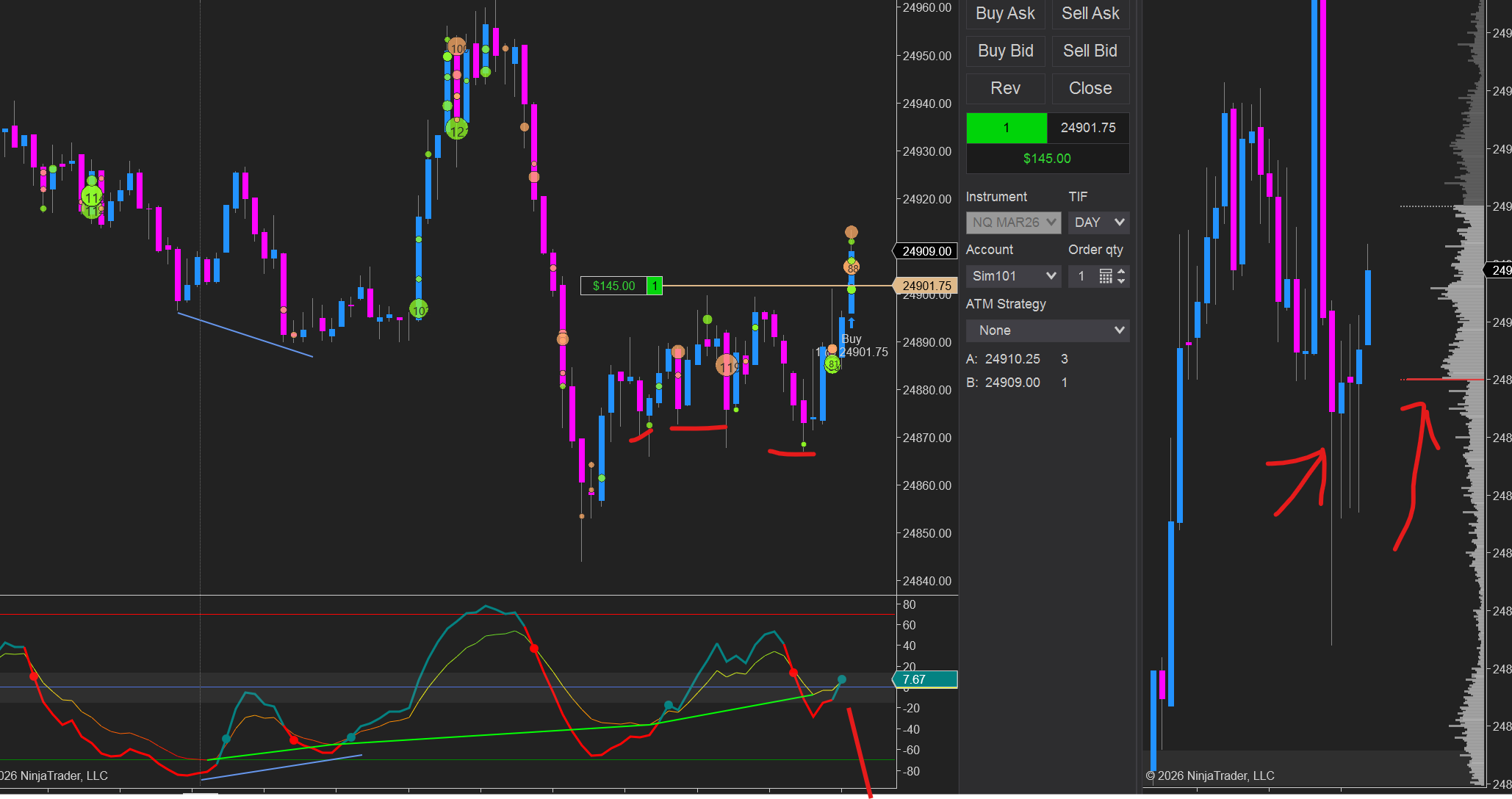
Following the Big trades, I created an average of the Big trades to filter out the most important ones, and those are not will turn into absorption. Pair this with de cumulative volume delta and volume profile and you will find Squeeezes like the one in the picture. For bullish, you want the line to move up, that means that big trade have big importance, and those who not, probably will be absorbed check out the picture attached, I caught that pump today after a cluster of big trades that did not add anything to it, later was going to be absorbed by buyers. Above zero, big bullish traders are more in control. below zero big sellers are in control. pair with the indicators above.
-
FCScalper reacted to a post in a topic:
BigTrades Indicator
-
Got an indicator for Bigtrades, and decided to add a few modifications in order to make it better. Delta is added here and you can change the visuals. Works really well and been testing it since yesterday. Must say its better so far than most Bigtrades indicator I have seen. use it well and Pair with other Orderflow indicators hope it helps 🙂 T5kT2kaAJS
- 5 replies
-
- 14
-
-
-
Alternative to big trades. Screenshot 2026-02-22 140813.png Ninza volume delta, gomicators vol profile, Qmomentum, CYMO, *** Delta gomicators. Look at the exemple. hope it helps!
-
found it, sorry
-
I think this system can be powered with CYMo. can someone share the nt8 SMM so I can look uo on how to charge this stuff for more confluence please ? thank you
-
the Big trades are from Cluster Delta. i bought lifitime sub long time agom, its attached to my id and needs login to get the tools. Later one I will post an alternative to big trades that work with this system too, or you can get a sub with cluster delta for 7$ a month I believe.
-
Screenshot 2026-02-21 131325.png trying this combination too. KissOF + Ninza Daily Profile + Inside bar + Ninza Volume delta. Entering on the rejection on the upper range with delta increase, then paired with volume profile and profile by candle.
-
Another good day with this.

-
you have to paste the files in the custom folder.
-
XUAQzmsYy7
-
Following.... As you can see, if done properly even when a few wrong sided trades can go well too ( hahaha) this is my bread and butter). enjoy guys
-
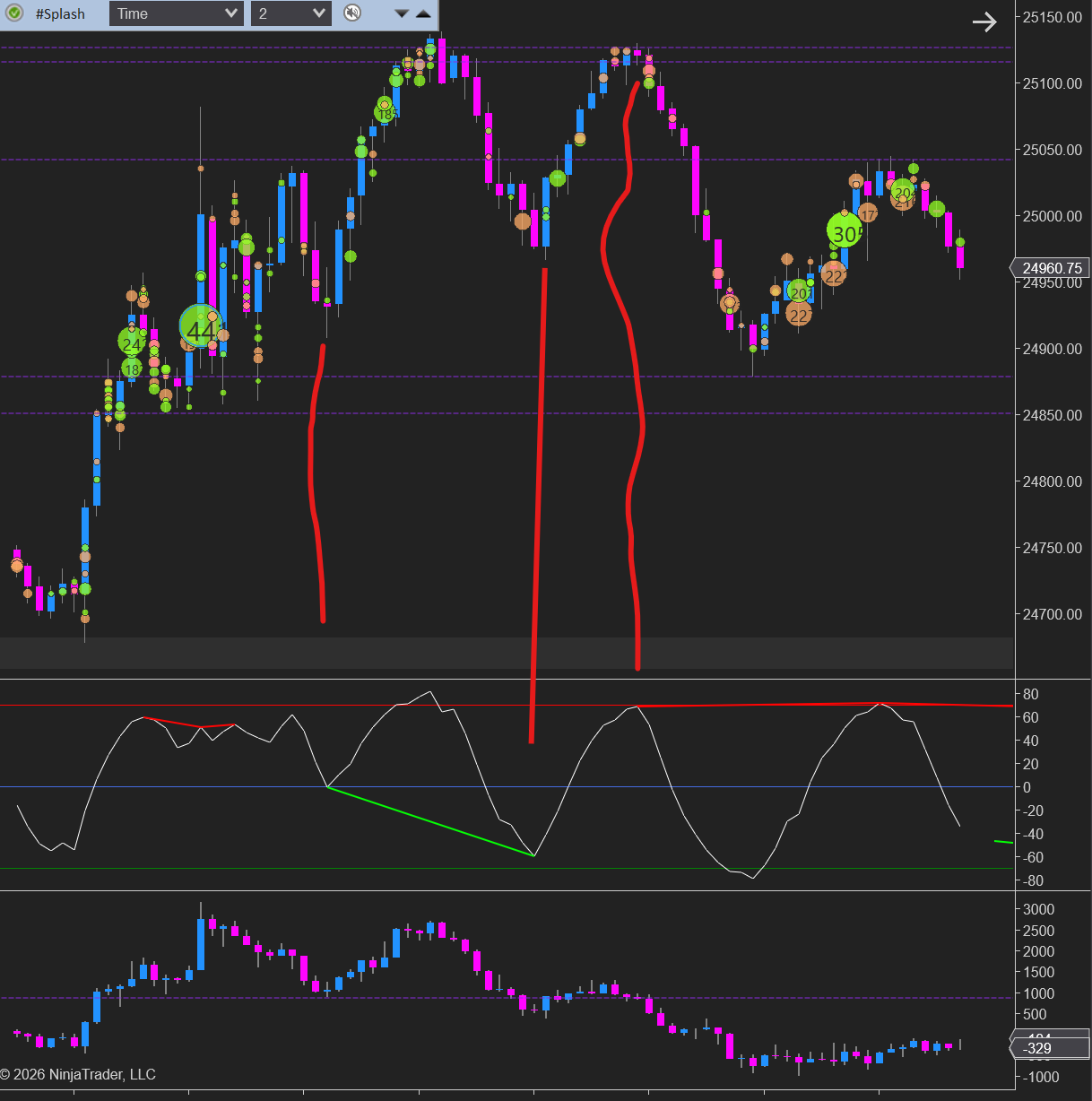
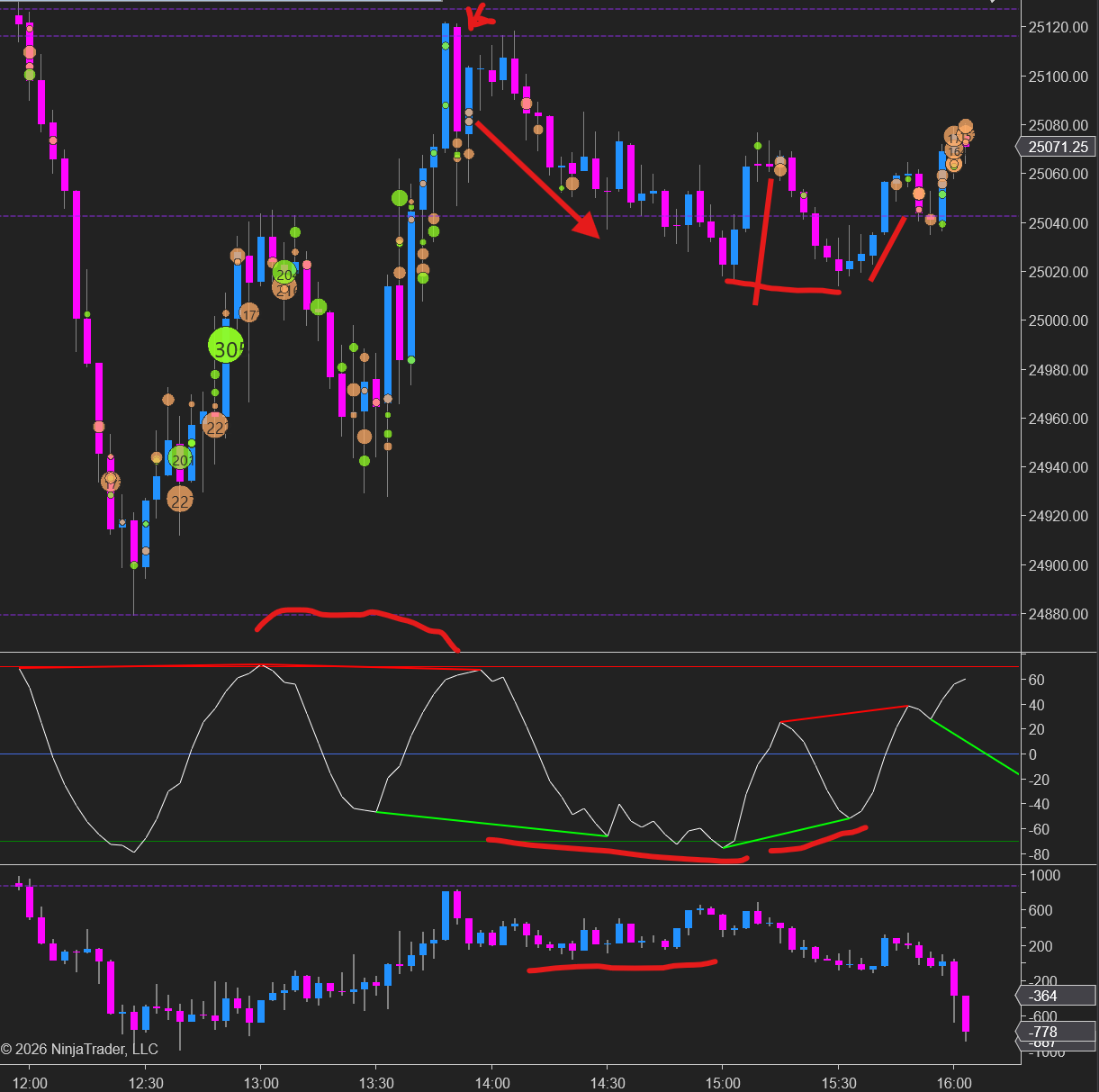
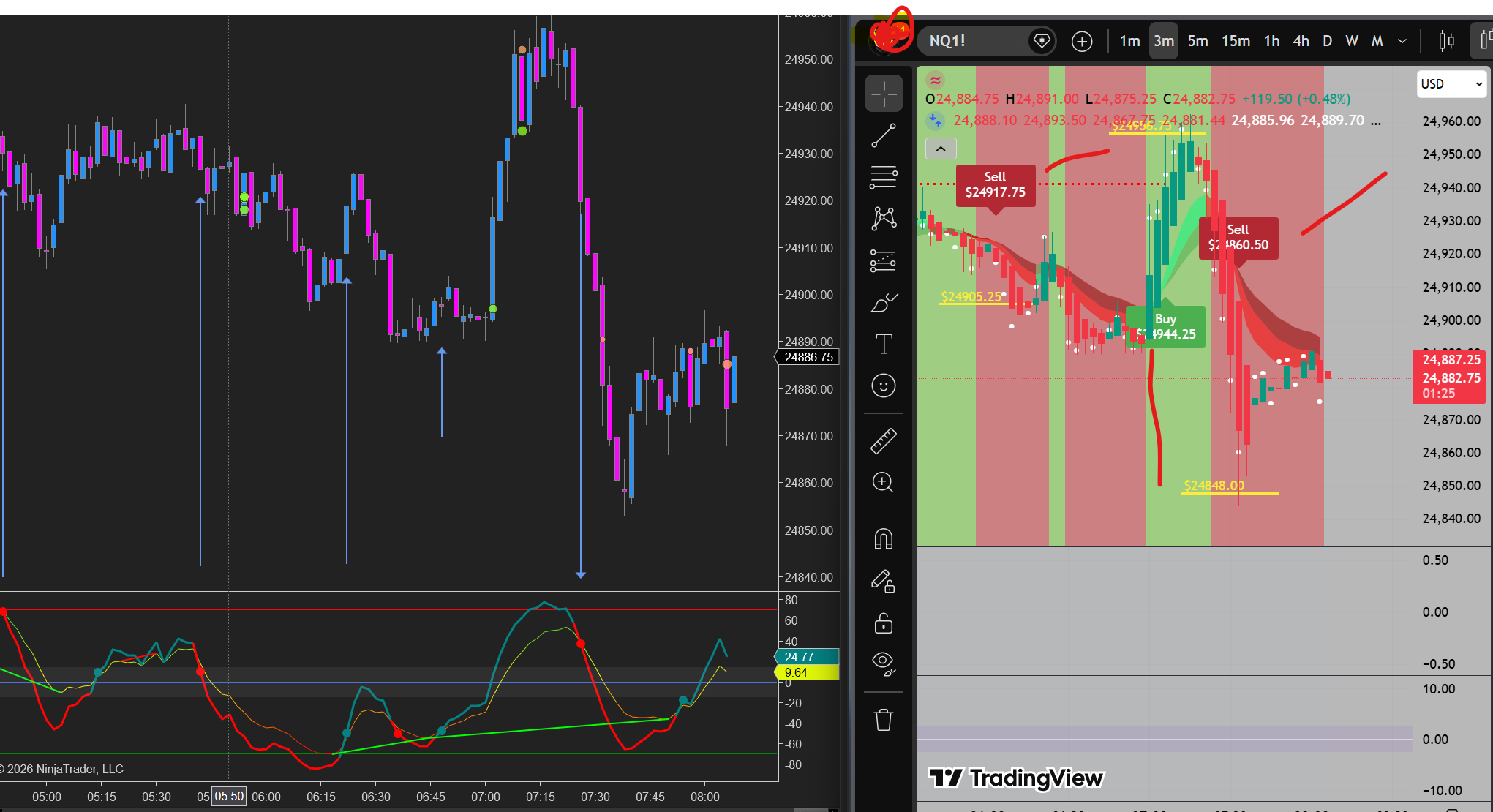
following my topic above of the strategy I use, here is an exemple for a quick demo on how to use it. Qmomentum + Volume profile on 15min + Big trades = look for divergence patterns on Q momentu, from a catalyst from big trades to see where big traders are on oyur side, absorbing, trapping etc then refer to a logical level, and go for it. Wedges on divergences and channels work best, flags are good too, but needs a bit more practice for it.
-
Alright. I use the Qmomentum on the 2 minute chart cause its the same replica as the SMM metrics thing. i configured the Q momentum on a 2 minute ans the trades come a bit early than the 3 minute on the SMM, so when the signal fires, this one is already in. mostly i scalp it between 32 to 50 ticks target and 28 stoploss or depending on the range I open the trades on the MNQ e fire 2 contracts and place stops below the range, this is paired with some price action and mainly the Divergence method on Qmomentum. Wedges are my favorite. to ignite this, I use the Big trades from Cluster delta and volume profile from Gomicators that fuels confluence to this setup. Pretty simple trading divergences with this setup. 2 to 3 setups a day is enough.
- 100 replies
-
- 10
-
-
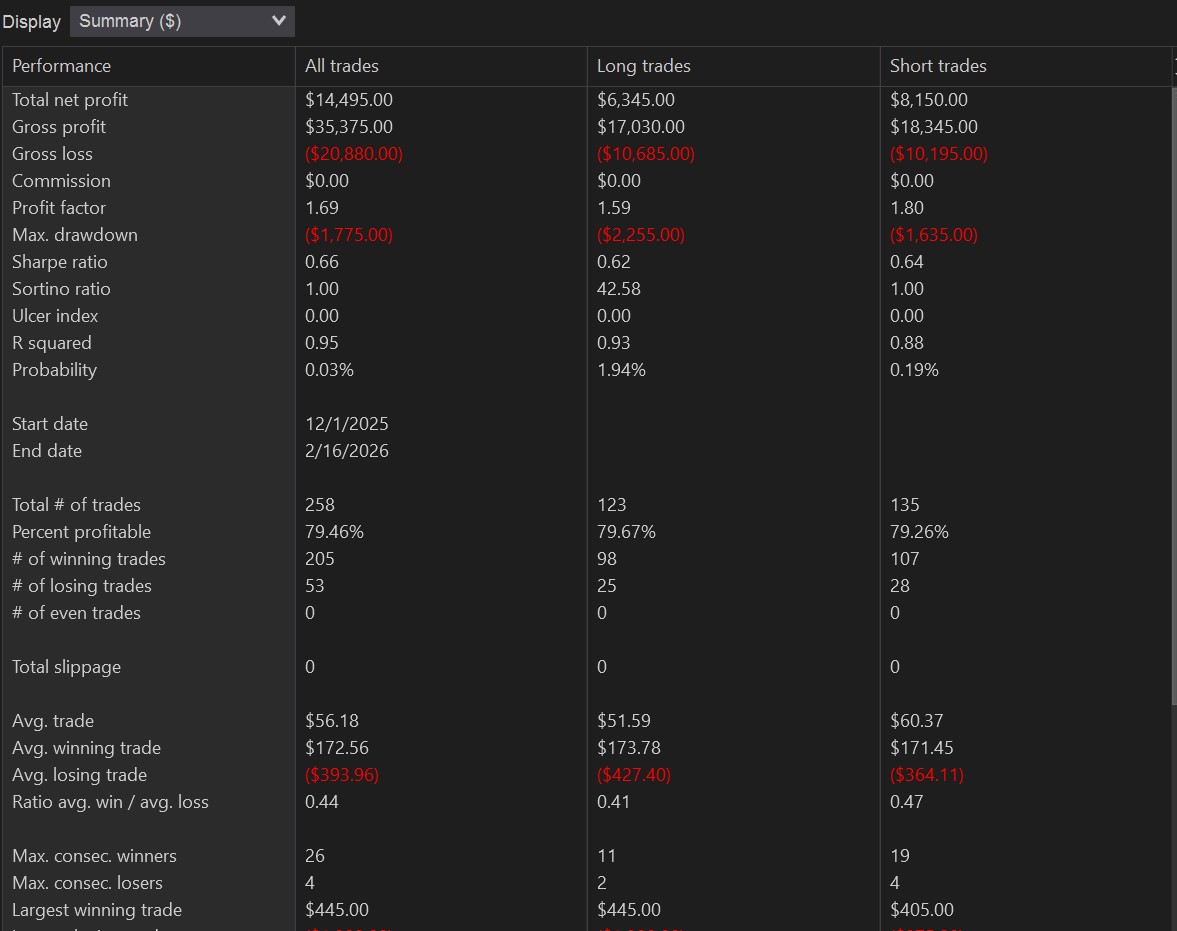
Currently working on this with GPT. still a long way to go. its Orderflow based with martingale incorporated. its the Deltascalper thing but my own version converted into a strategy and some orderflow touch.