⤴️-Paid Ad- Check advertising disclaimer here. Add your banner here.🔥
All Activity
- Past hour
-
 It's a great Ninja_On_The_Roof work, I was looking for resources for VwapFlux and now I installed it without problems, I have the Ninja version no EDU 8.1.6.2
 -
 adonis reacted to a post in a topic:
TWST FusionBOT for NinjaTrader 8
adonis reacted to a post in a topic:
TWST FusionBOT for NinjaTrader 8
-
adonis reacted to a post in a topic:
NINZA INDIES - FREE OF CONSUSION - FRUSTRATION - HEADACHES - TIME
- Yesterday
-
@N9T can you please share TradeTerminator and NQ Ultra.. Thanks in advance
-
can you share the file if you have
-
 Ac423 reacted to a post in a topic:
NINZA INDIES - FREE OF CONSUSION - FRUSTRATION - HEADACHES - TIME
Ac423 reacted to a post in a topic:
NINZA INDIES - FREE OF CONSUSION - FRUSTRATION - HEADACHES - TIME
-
babeonidi reacted to a post in a topic:
Elder Disk v2.0 for Metastock.
-
Traderbeauty reacted to a post in a topic:
NINZA INDIES - FREE OF CONSUSION - FRUSTRATION - HEADACHES - TIME
-
FCScalper reacted to a post in a topic:
NINZA INDIES - FREE OF CONSUSION - FRUSTRATION - HEADACHES - TIME
-
Hey can you share trade terminator
-
TraderMan reacted to a post in a topic:
ORS Fusion and Axios
-
Hey anyone have the newest versions of ors fusion and axios for stratgeeks https://stratgeeks.ai/
-
- 1
-
-
 omrangassan reacted to a post in a topic:
elliottwaveforamibroker.com indicator - require decompile
omrangassan reacted to a post in a topic:
elliottwaveforamibroker.com indicator - require decompile
-
⭐ SignalTime reacted to a post in a topic:
Metastock 20 realtime c*****d
-
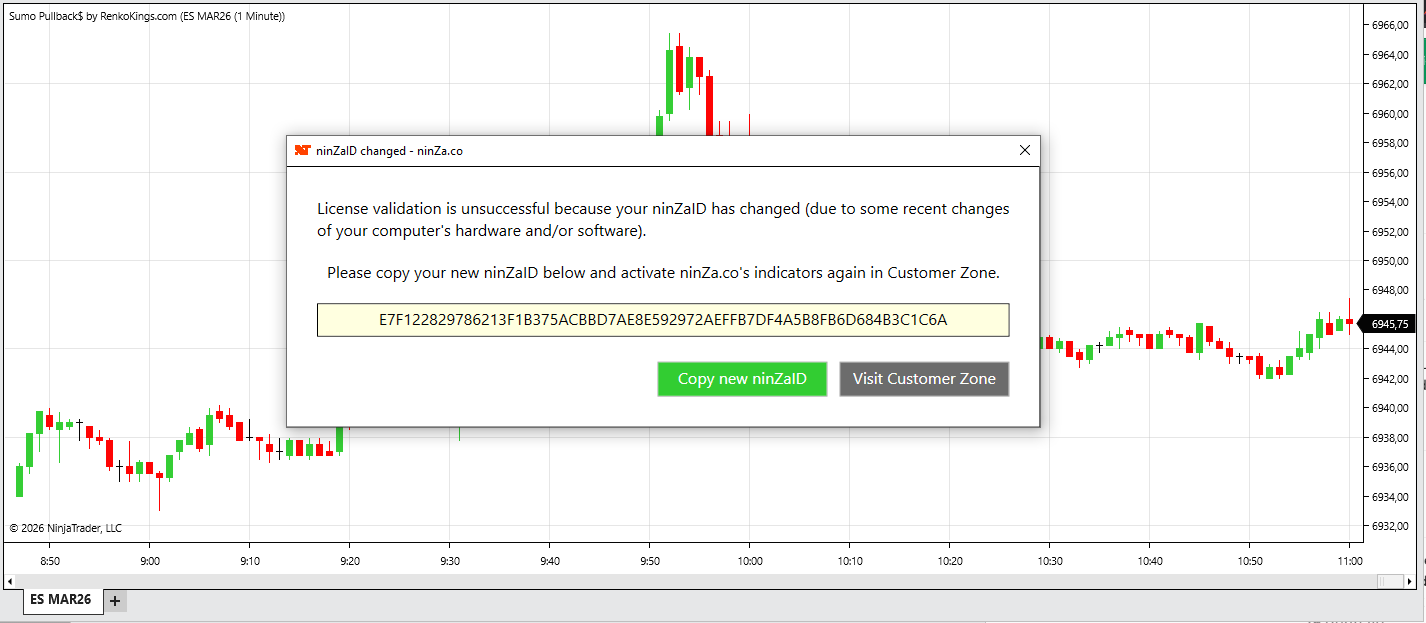
 Most likely, you have left over Ninza stuff in your PC. Make sure to remove every trace of it. Using your NT8 removal of scripts under NT8 Tool tab and/or, go into your Document/Bin/Custom folder, to delete anything that has the name Ninza. You will be surprised to know that they are hidden everywhere, such as also, in Templates, Strategies and so on...but these are not that a concern. Just the ones in Custom folder that need to be deleted. Start fresh and follow the READ ME FIRST file. Do shut down NT8 and restart or Reload Scripts from NT8. Many times over, after you import something, you do not see it popping up under your NT8 Indicator tab. Yet, after shutting NT8 down and restarting it. You would then see it showing up. Thank you.
 -
Then directly subscribe to Acelpix or Truedata as indian MT4 orderflow data is corrupted. (Level 1)
-
 remove everything else from Ninza and then import below file, it's working perfectly for me. I dont know the version of indicator or resource file but everything is stable https://workupload.com/file/qDsjKntLkkx (Ninza Sumo)
 -
 I use NT8 Demo unedited
-
Do you need Nt8 Edu? to make them work?
-
Follow the Atomo guide, once you have applied the crack you have to open it via the icon: (Metastock RT for XENITH Offline Mode)
-
nse india data
-
this is the only indicators file when i try to added, always F... my ninja setup,its wired
-
Thanks !!!!
-
What is the credentials for use?
-
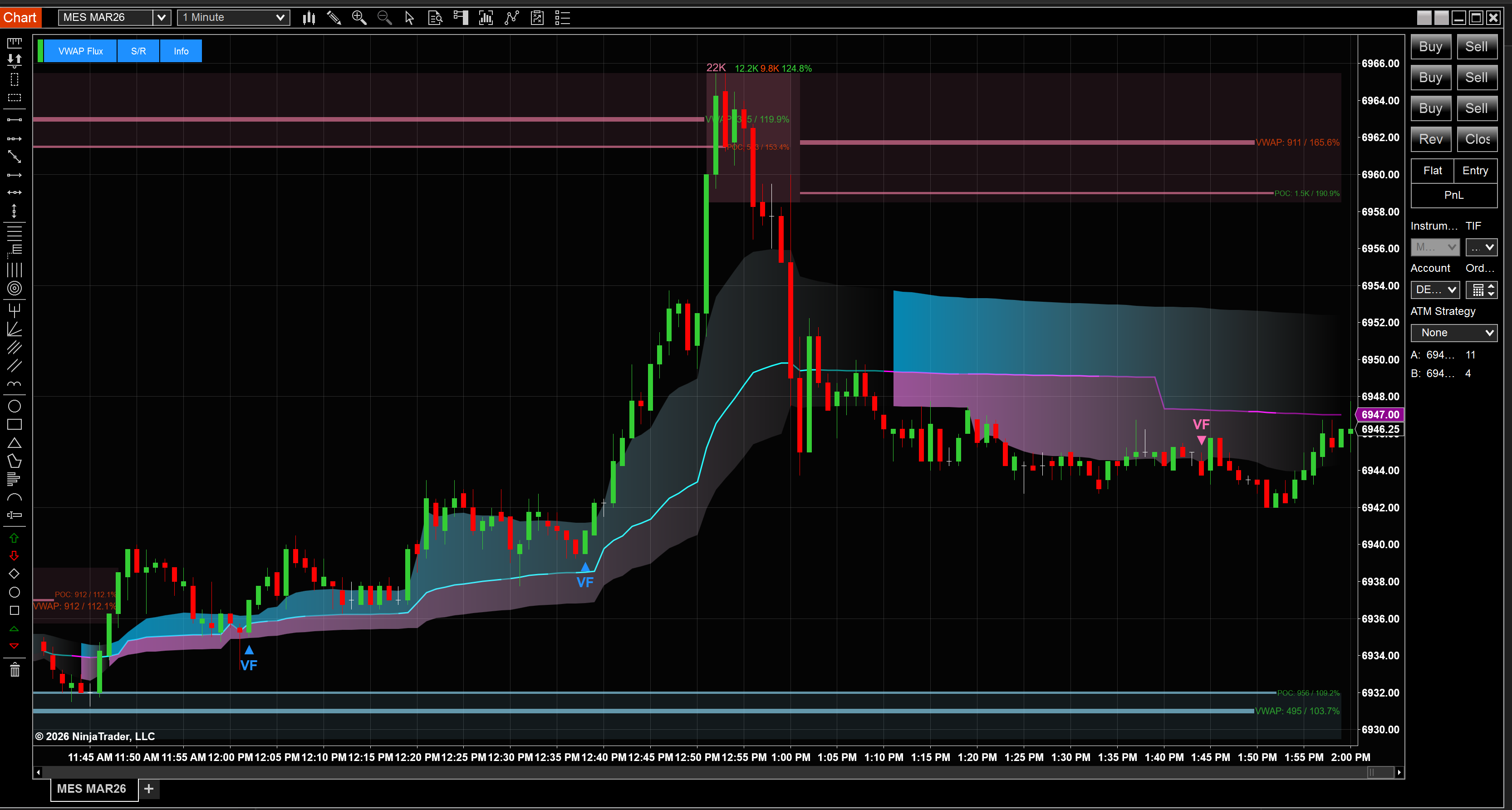
Hello, In the mean time, let's get this easy part out of the way first! Here is the most comprehensive list of Ninza indicators. Including some of the brand named ones and the instructions for how to make them work in tandem. Some of the paid and brand named ones: SolarWind CosmikZTP StormEye ZoneGPTFromTheFuture ThunderZilla SumoPullback FibarScalping RKSysPlatinum RevOutScalping Best Alligator Multi Timeframe Fusion VIDYAPro TripleRange Rover Phoenix Squeeze Divergence Engine Cumulative Delta DWIN Trend And more... I personally imported each of them, one by one, and checked at once to make sure each would show up on chart and work perfectly as intended. Anything else that didn't work together with these indicators, I removed them. Will tackle those, one by one and see if I could just make them work by themselves. Just as the VWAPFlux that I recently posted here. Gotta build a foundation first and that is to first import one Ninza indicator which has all the needed files for all the other to work along side with one another. This part is much important! Lastly, another much important key here is, to just click "NO" for EVERYTHING when you see a pop up message asking you to replace anything at all. This is the opposite of the old way we used to think, to click "YES" to replace files. By importing a correct Nina indicator first, we already eliminate all the frustration and headaches that follow. That is, we do not need to fumble around by importing one external Resource File right after another and another... just trying and hoping the indicator would then work. Obviously, nobody would actually install every single one of them and use them all. But hey now, if you are one of those who has 10 big monitors setup in your trading room, then by all means, go crazy🤩 If not, then choose your favorite poison(s) but still, do follow the instructions and install the FIRST needed indicator. https://workupload.com/file/MZFN2CtH9gu Enjoy! P.S: On a personal note, many thanks and great appreciation to all of you, the quiet contributors behind the door and of course, all the educators, @apmoo, @redux, @kimsam, and @N9T...This task couldn't be done without them!
- 7 replies
-
- 11
-
-
-

https://thetradeengine.com/ needs to educate
Wannabetrader replied to TRADER's topic in Ninja Trader 8
is it working? after 7 days i noticed its stopped working, does it work for you? -
I have these files on telegram if you are on TG then ping me on @passiontrader I will forward
-
that's truth LOL 😂
-
Hmm, i searched online, yes it might be the issue on my side, just not sure why, since i exported the other version already. but thanks anyway
-
No just import you have fix the errors on your ninja, people here shared newer predator versions look for it on the forum
-
Is there a vwap that calculated on cumulative delta for ninjatrader 8? I know that tradingivew has.If there is please share.
-
Trading Model templates Share me
-
Hello Guys, These are the orderflow valtos course i found outside the forum, hope it can help you as well Love this forum, Really learning a lot here! 🙂 Cheers!! Include: Crypto OF Strategic OF Dynamic OF NT8 indicator: Current week OHL Prior week OHLC Bar close alert P.S Anyone knows a working version of Edu Predator X? old version is fine, please share it, the links that i found are dead or there are some issues with it. and latest one is not out yet. Resources link.txt
-
Hello, Sorry it took me a while to get back on this Ninza.co topic. I am aware that many of you had it all figured out and all the Ninza indies work out just fine and dandy for you. However, I also know that many peeps couldn't get these indies to work, no matter how much time they spent on the PCs, plucking their hair out and still, no success. Some just gave up and moved on. Especially for folks who are new to Indo-Investasi and Ninjatrader craps. I am now attempting to post these files here, ONE BY ONE, as I go along. There are just way too many of these Ninza indies and so, I will only take care of the brand named ones. Many of them are just freebies that you can just download yourself from their website. There should not any issues with those free ones. On this note, those are just junkies to me personally. That is just my own view. You might find them useful and helpful enough in your trading activities. Enough said, here is the first one. The infamous Ninza_VWAPFlux. Some quickies of insight regarding the files. If you notice, the VWAPFlux comes with its own Resource file imbedded inside its file. Yet, for some odd reasons, after importing it into your Ninjatrader8, it still wouldn't show up. Noted, I am only using the latest official version of NT8. Not the cured or fixed one. I found out that, it actually needed another file to it and that is the NinzaATR_NT8.dll file. Thus, I had to spend some time to extract the Zip file of VWAPFlux and then, extract another Ninza indie which had the ATR file. Then copied and pasted it into the VWAPFlux file. Finally, zipped it all back into 1 single file. My goal here is, to help out as many new peeps as I could, especially with the newbies. Just to save you some headaches and all the confusion with not knowing which Resource files to go with what Ninza indicators. I am currently having the latest Resource file that I downloaded from Ninzaco's customer portal. I was their customer long ago. Until I realized that most of their indies are just pretty much, the same. Just different fancy names. Same colors. Anyway, hope this would help out a tiny bit. Understand that this will take sometimes to carve out all the brand named indicators. Thank you. https://workupload.com/file/hrXPjxffYJV