⤴️-Paid Ad- Check advertising disclaimer here. Add your banner here.🔥
All Activity
- Past hour
-
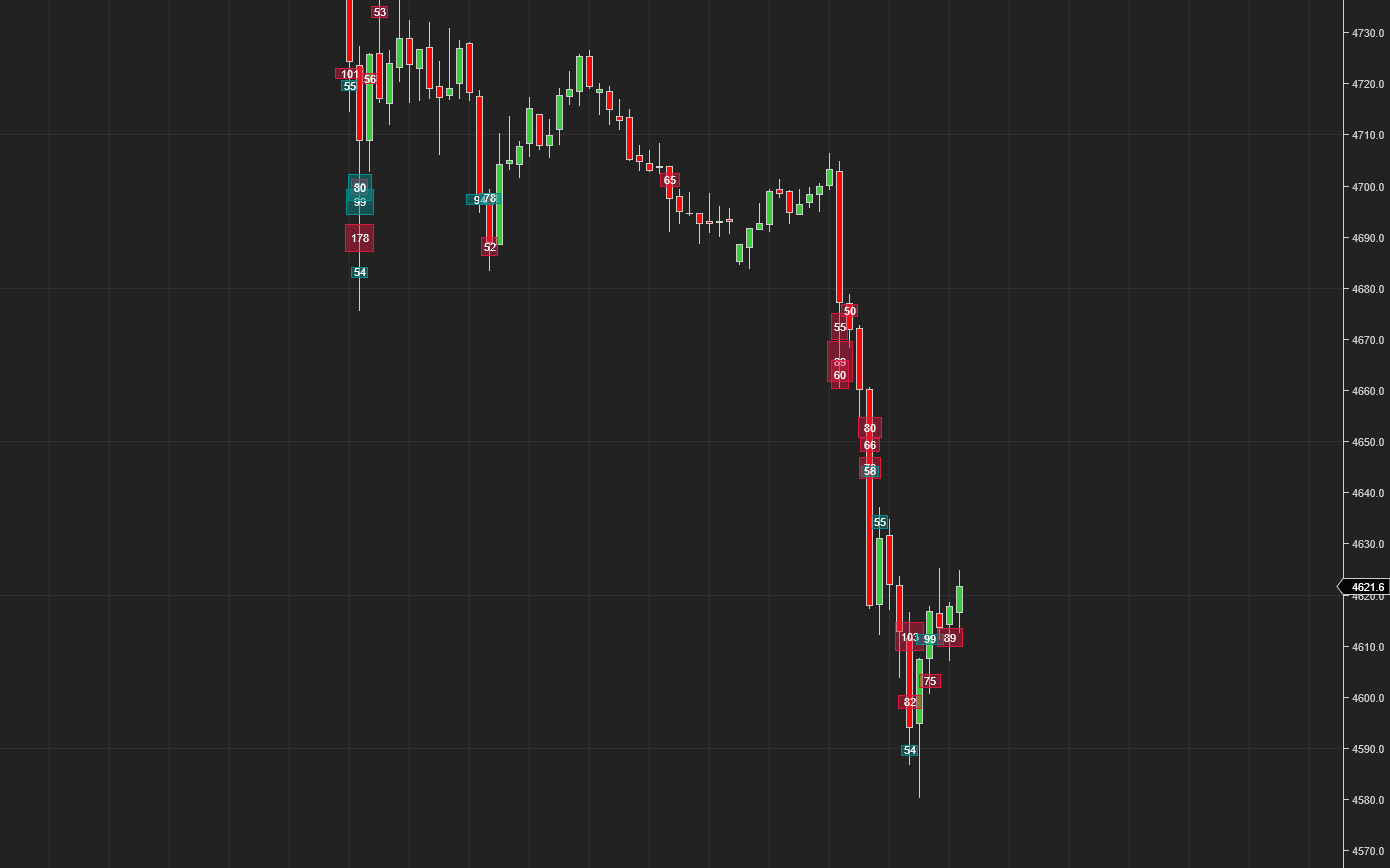
BigTrade is an order-flow visualization indicator for NinjaTrader 8 charts. It highlights two types of important activity directly on the price chart: • Single print big trades • Sweep events Its purpose is not to replace a footprint chart. Instead, it extracts the most important trade events from dense tick activity, so you can still spot key locations quickly when the chart is zoomed out or when your attention is focused on overall price structure. Current core features: Detection Layer • Single Print Big Trade: a single print is marked immediately once it reaches the configured threshold • Sweep Event: consecutive same-direction prints within a short time window and with continuing price progression are aggregated into one event Display Layer • Single prints are shown as circles • Sweep events are shown as rectangular ranges • Buy and sell activity uses different colors • Circle opacity and sweep rectangle opacity can be configured separately Historical Playback • Historical detection depends on Tick Replay • Without Tick Replay, historical big trades and sweep events will not be reconstructed accurately BigTrade.zip BigTrade_User_Manual_EN.txt

-
 KJs reacted to a post in a topic:
NTOptimizer
KJs reacted to a post in a topic:
NTOptimizer
- Today
-
 KJs reacted to a post in a topic:
fixed .. ORS Fusion and Axios
KJs reacted to a post in a topic:
fixed .. ORS Fusion and Axios
-
misalto reacted to a post in a topic:
CopierLite
-
misalto reacted to a post in a topic:
KimSam Ai trading system on ninjatrader
-
Absolutely! Need to filter and find out what is truly useful among all this.
-
Makes my head spinning just looking at it, all its buttons
-
prateekdubey07 reacted to a post in a topic:
CopierLite
-
Is it still in Alpha, Beta phase? Wouldnt mind trying it out to help find bugs
-
I see. So, after X number of days, it should stop working.
-
Bro its a trial version
-
original files seem to work for me. https://ibb.co/RpyBFtyy Is it a time limited trial? How to use those addons?
-
⭐ osijek1289 reacted to a post in a topic:
CopierLite
-
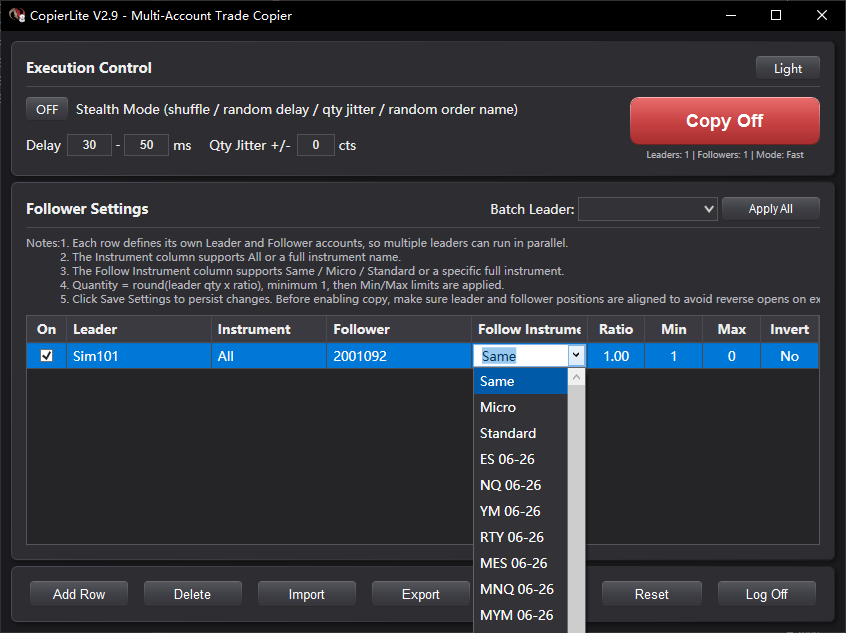
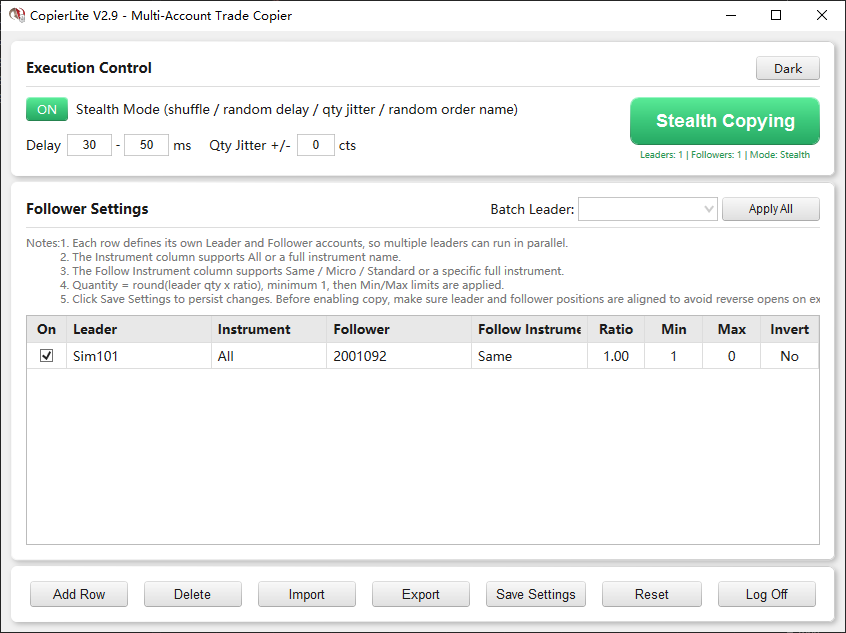
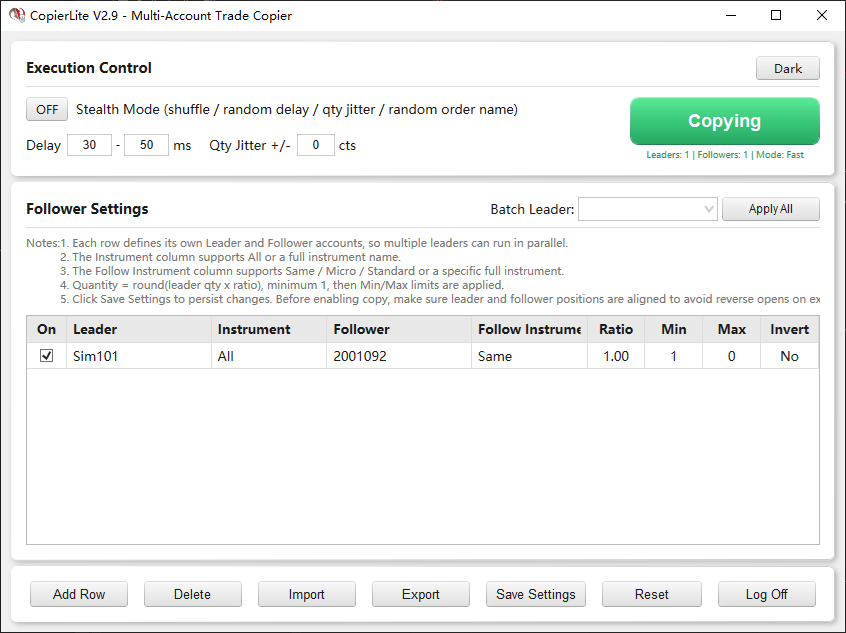
Download link:https://ninjatraderecosystem.com/user-app-share-download/copierlite/ CopierLite V2.9 is a lightweight NinjaTrader 8 trade copier AddOn designed for multi-account copy trading within the same platform. It runs in a standalone window and does not require a chart. Core capabilities: Copy architecture • One-to-many and many-to-many copying: Each row defines a separate Leader -> Follower mapping, and multiple leader accounts can run in parallel inside one window. • Fast direct-copy pipeline (single-path OnOrderUpdate trigger): - Market orders forward immediately on Accepted / Working / Submitted. - Limit and stop orders forward after Filled. - No follower-position lookup is performed on the hot path, which keeps latency extremely low. • OrderId deduplication: The same leader order is copied only once, with automatic expiration. • Anti-loop protection: Orders submitted by this plugin are detected and skipped, preventing infinite loops in multi-row or many-to-many setups. Instruments and quantity • Same-contract and cross-contract copying: Supports Same, Micro, and Standard automatic conversion, or a manually specified target instrument such as NQ -> MNQ or ES -> MES. • Quantity ratio: Follower quantity = round(leader quantity x ratio), with a minimum of 1. • Min / Max quantity: Applies only to opening actions (Buy / SellShort). Closing actions (Sell / BuyToCover) are not limited, which ensures a full flatten on the follower side when the leader exits fully. • Invert copy: Leader long -> follower short, and vice versa. Stealth Mode • Random execution order: Fisher-Yates shuffle is used to randomize follower submission order. • Random delay: All follower accounts can be delayed by a configurable random amount. • Quantity jitter + auto compensation on close: Random quantity variation is applied on opening orders, and cumulative deltas are automatically compensated on closing orders. • Random order names: Stealth orders use random characters + unique counter encoding. Theme and UI • Dark / light dual theme: A theme toggle is available in the top Execution Control section. • Auto-follow NinjaTrader theme: On first launch, CopierLite detects the current NinjaTrader theme and applies the matching UI automatically. • Title bar theme sync: The window title bar follows the selected theme through the Windows DWM API. • Theme persistence: Manual theme changes are saved and restored on the next launch. Operations and usability • Standalone launch: Start from Control Center > New > CopierLite Copier. • Persistent settings: Saved to Documents\NinjaTrader 8\AddOns\CopierLite_settings.cfg • Batch leader assignment: Apply one leader account to every row with one click. • Multi-row delete: Ctrl+Click / Shift+Click selection is supported. • Live statistics: Copied / success / failed counts update in real time.
-
- 3
-
-
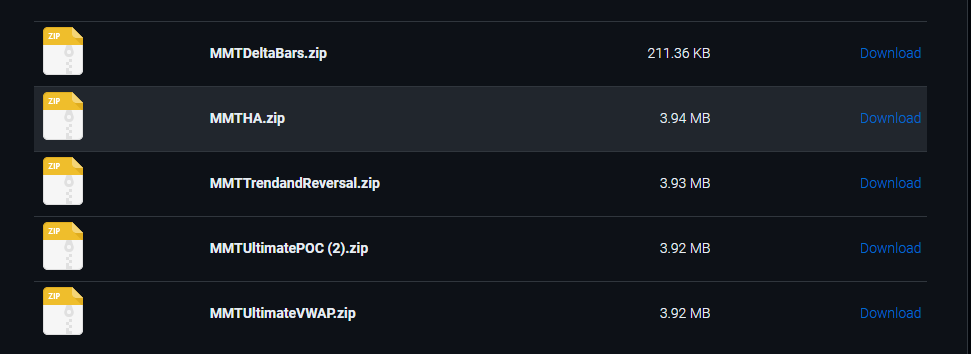
I have added some of the MonkeyMan Indicators to see if anyone can work on them when they have the time @apmoo @kimsam Thank you https://workupload.com/archive/Kx3ZfbYhav
-
Welcome to Indo-Investasi.com. Please feel free to browse around and get to know the others. If you have any questions please don't hesitate to ask.
-
 loseyouself joined the community
 - Yesterday
-
u have update @kimsam
-
⭐ goldeneagle1 reacted to a post in a topic:
patternsmart.com
-
⭐ goldeneagle1 reacted to a post in a topic:
dimensiontrader
-
⭐ goldeneagle1 reacted to a post in a topic:
dimensiontrader
-
bryandarktuni reacted to a post in a topic:
KimSam Ai trading system on ninjatrader
-
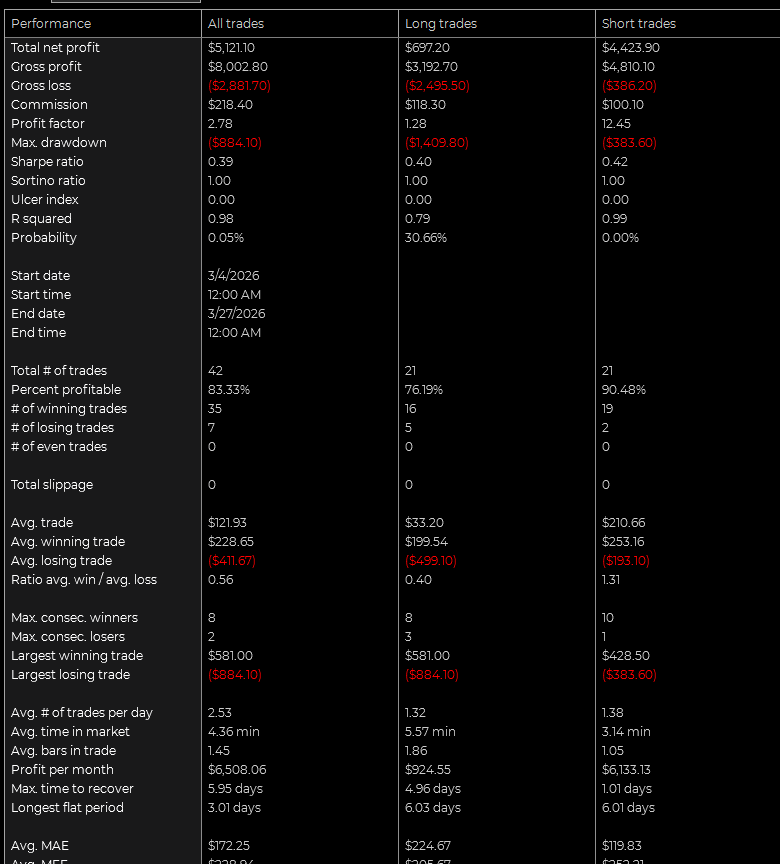
Fielpo , nice version, it might even put a smile on the very depressed Jake, I used these times for me EST US only change to your template and got descent results:
-
Another free one here I am currently using. https://www.mascapital.uk/ninjatrader-8-auto-login-auto-cleaner-setup-usage-guide/ 🔥 Download Free NinjaTrader 8 Indicators for Trading | MASCAPITAL https://share.google/iCqFPCcMpUKGQGR78
-
Hello everyone, I don't understand why, every time I use a bot, a notification pops up and disables it. Has anyone else encountered this problem? With this model Team 7C - Evals Error X Sim101, The stop price cannot be changed above the market price. Order: Sell 7 StopMarket @ 24130
-

W.D. Gann's Master Forecast Method
HarveyNorman replied to Bill Bundle's topic in Learning Resources
What happened to his website and youtube content? Seems to be gone. -
@kimsam what prep we have to do to install your share when you post it ? Do we have to subscribe to LLM like Gemini mentioned earlier ?
-
ML = brain LLM= agents
-
Are u using your own ML ? or u just use LLM for analyse the "strategy" you gave too gemini? only OHLC, price or other data is given ? no LVL2?
-
New added .. https://ibb.co/gZBWwNPQ https://ibb.co/GGJdqvH
-
I see there were previously some news related to a prop firm acquired oanda so i think we have some other brokers like hfm, octa, xm, lmfx etc to be added while short listing the right trading partner. We can also download their demo to check which option suits us best.
-
Read some reviews on the fixed Brokey version. Seems to be working good.
-
Sadly Friends, our educators have no interest in educating PredatorX 3.6.x.x. As much as We would love to have all those great feaures, We may have to be content with version 3.1.2.1 provided by @redux. Excellent guidance on how to install 3.1.2.1 by @Bene. Posted February 12 (edited) 3.1.2.1 is the last stable edu version shared thanks to @redux, import the zip file, close ninja, then paste and replace the EliteLicenser.dll file in ninjatrader8/bin/custom, start ninja, launch predator and when prompted for the license just enter random numbers. The predatorXPullback also works with this method ==================================================================================== Although I am not using 3.1.2.1, Here is what @redux provided, good luck !!!! https://workupload.com/archive/vhWTy6BHY7
-
@Minigemsczn you clean this indi please
-

Pivot_Point_STRAT proptradingindicatorscom
Ninja_On_The_Roof replied to TRADER's topic in Ninja Trader 8
It isnt dead @raock95. Link above is still active. -
yeah many people try download old garbage but links was dead